Preparation phase
As a precursor to each period you will need to do 3 steps:
- Download an extract from payroll in the format you have set up with our data mapper
- Create new joiners via our "import users" tool
- Run your payroll extra file through our data mapper to transform your file; download it
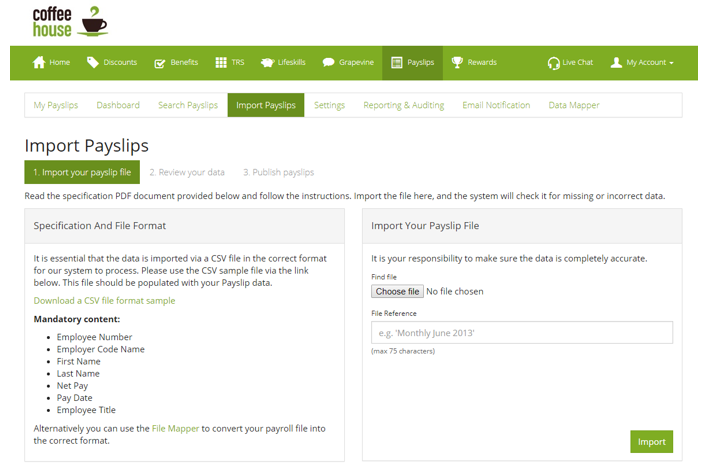
1. Choose and import your file
Once you have completed the preparation steps, choose your transformed file and give yourself a reference. Tip: Giving yourself useful references really helps with auditing or troubleshooting. (Image above)
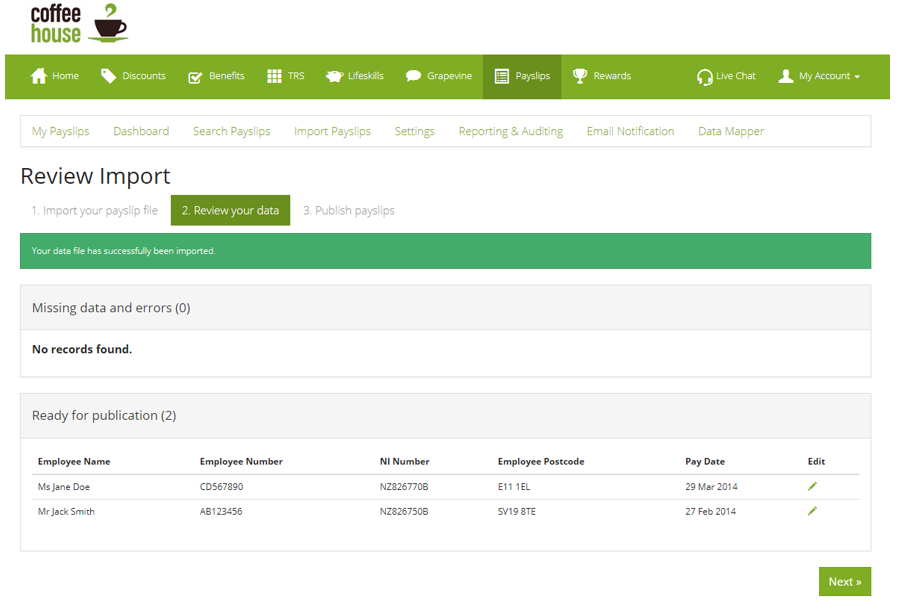
2. Review Data
When a file is imported the system will validate it. The result of the validation is displayed in this table with two tabs.
- Missing data and errors - Here the content can be corrected by clicking on the edit icon
- Ready for publication - To make amendments to any of the results click on the edit icon, once all corrections are made click 'publish'
- Note- Quantities are displayed on the tab in brackets
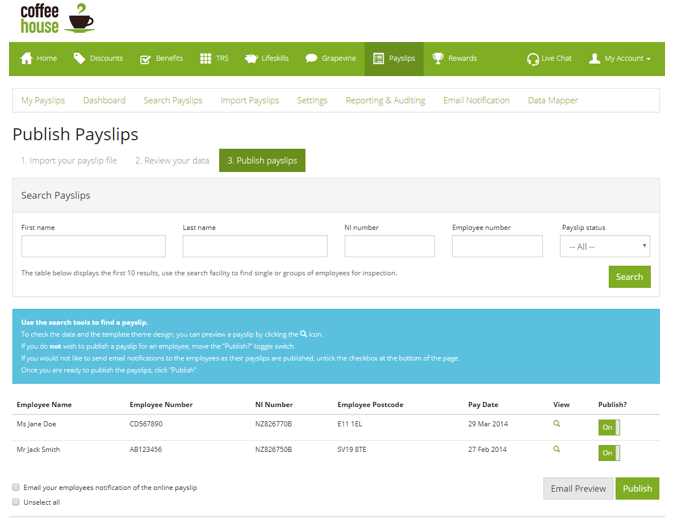
3. Publish Payslips
Before displaying the payslips for employees to view, administrators can take this opportunity to make a final payslip check.
Prior to publishing users are given the opportunity to 'unpublish' or hide payslips that administrators do not wish to go-live, this may be due to a realisation that the information displayed is wrong but all the other payslips are perfect and so can go live.
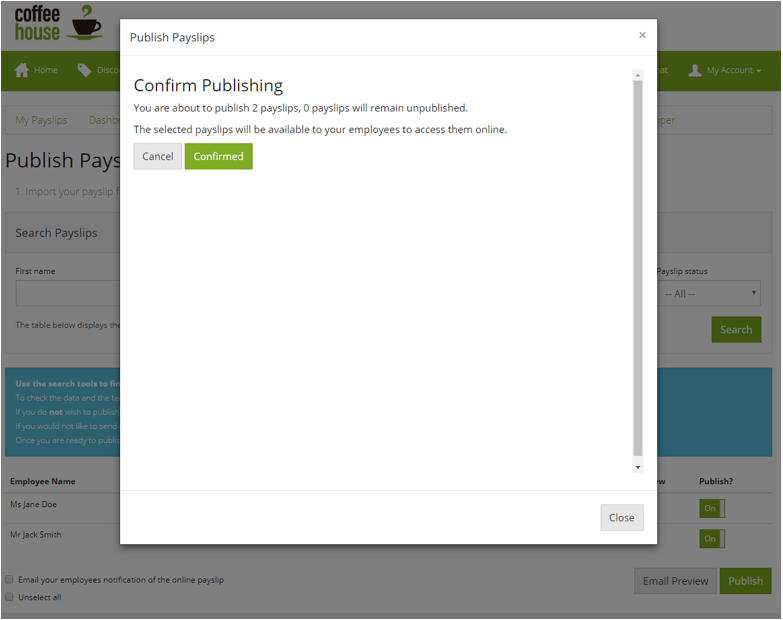
Confirm Publishing
A confirmation popup box confirms exactly what is about to happen!
Comments
0 comments
Article is closed for comments.