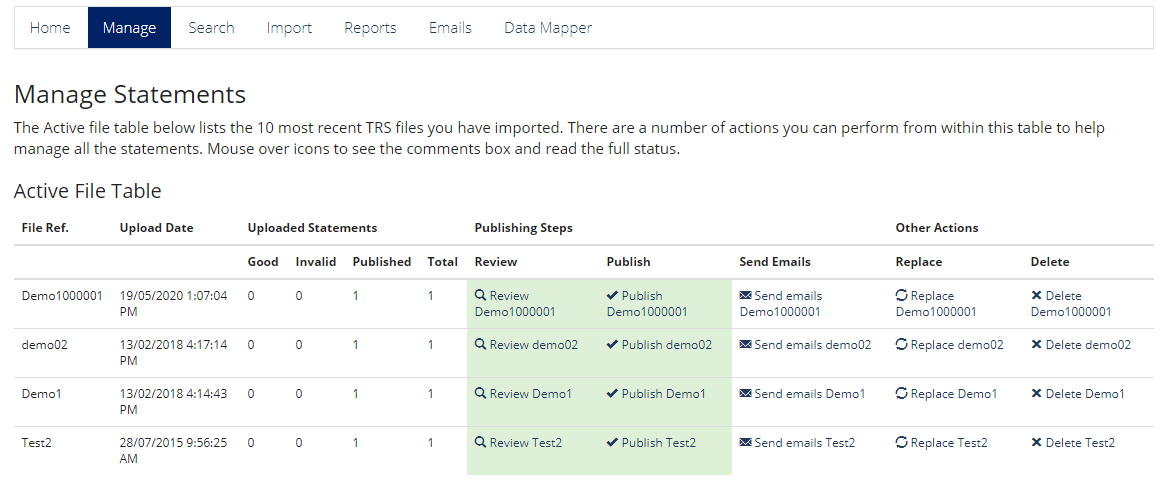
From the "Manage" dashboard you're giving the option to either Delete or Replace a file.
You can delete or replace a file even if it has been published; crucial if there has been an error. However, please note you cannot undo either option once you have confirmed the action.
When to use delete vs replace?
"Delete" instantly removes the file and as soon as end-users refresh the page they'll no longer be able to view the content. This is vital in instances where data has been uploaded incorrectly and employees are seeing incorrect values
"Replace" does delete the file, but first lets you go through another upload process to add a new file, letting you take your time to view and check each person's if you need to, then publish the new file. The original file being replaced is then deleted at the end of the process. This is typically used if for instance you've forgotten a few employees off, or missed a benefit off, any minor mistakes that aren't in need of urgent removal.
Conculsion; if it is urgent that the TRS comes down, use delete; if you are making a minor amend to an existing file use replace
Comments
0 comments
Please sign in to leave a comment.