Assuming you have already added your employees you can easily assign someone else as an administrator.
Important points:
- Roles cannot be bulk added/removed or edited; they are done on an individual user basis
- You can only assign roles to other people that you already have yourself
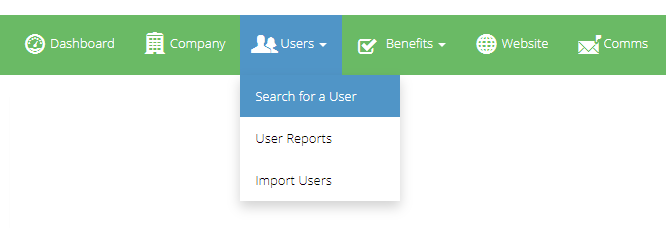
1.) To start, navigate to the "Search Users" area within the admin Suite.
Admin Suite > Users > Search for a User
2.) Next, search through your employees and click on the Roles Icon for the employee you wish to assign an admin role.
Existing administrators will show an icon next to their name
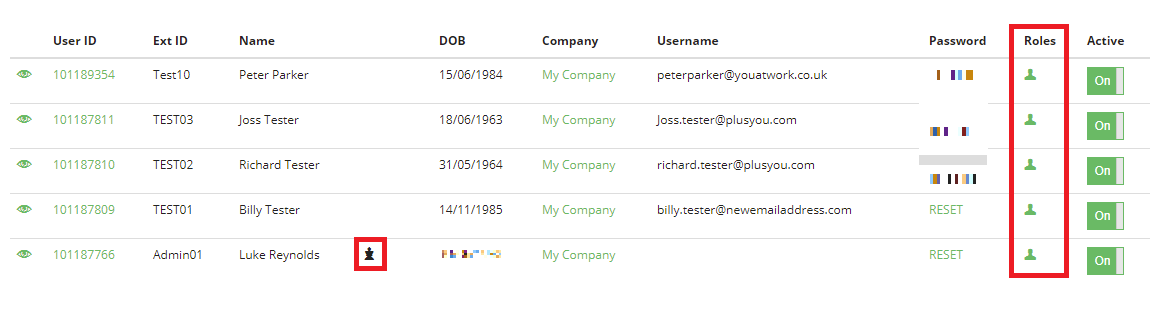
Disclaimer: Details shown in this screenshot are for demo purposes and are not real people
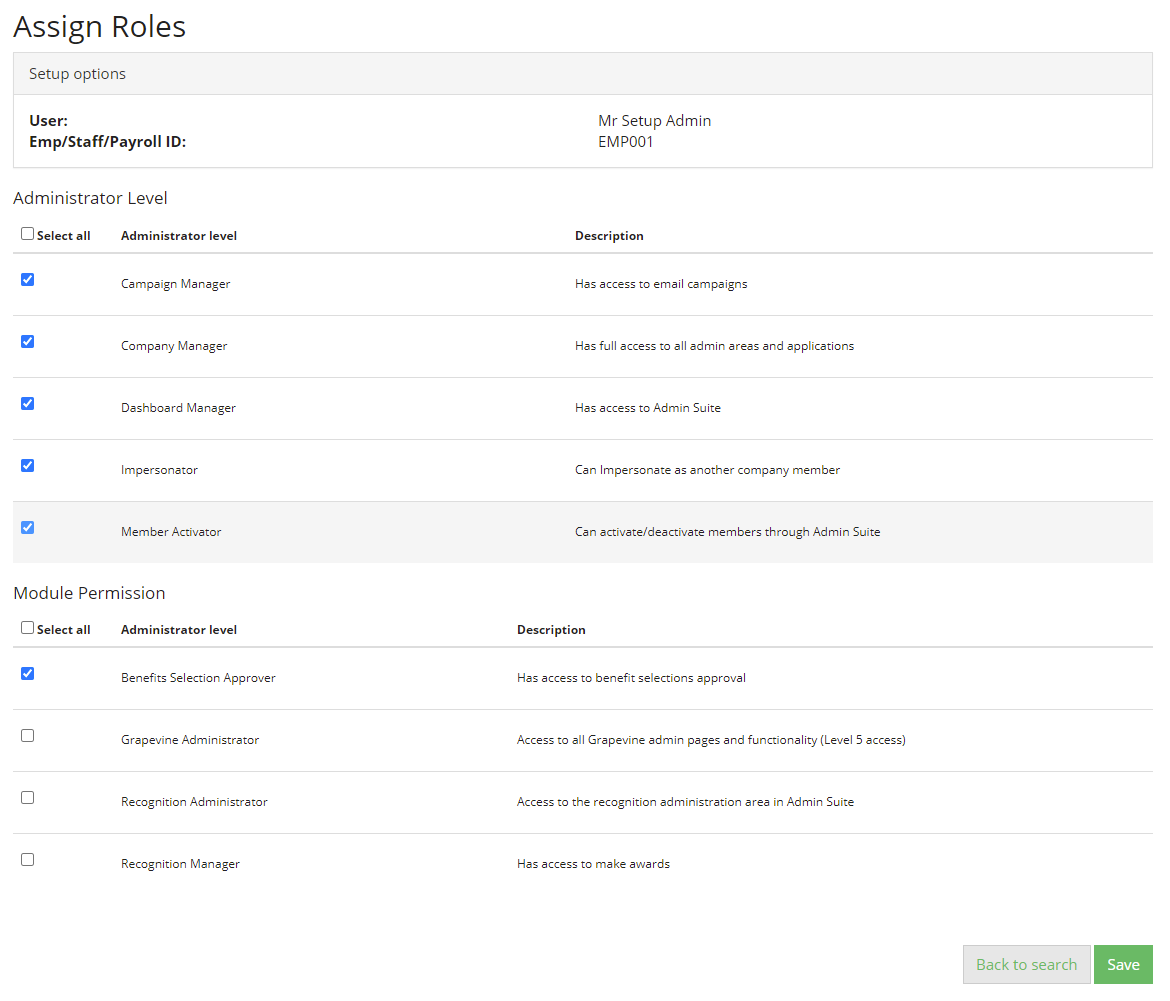
3.) You will then be able to choose which admin roles this person should be given.
Check the boxes on the roles, and save. The next time the user logs in, they will have the new roles.
Comments
0 comments
Please sign in to leave a comment.