Over time employees will leave your company and you will need to remove them from the system to prevent them from accessing in the future.
You can do this on bulk, via our Import Users tool, or on an individual basis.
Removing leavers individually:
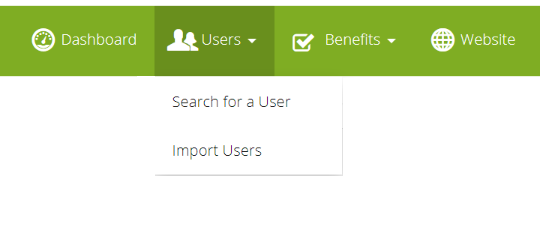
Starting from the admin suite click into "Search for a User". This will load your list of users.
To deactivate the user immediately simply find the relevant user, and click the Active toggle to OFF. 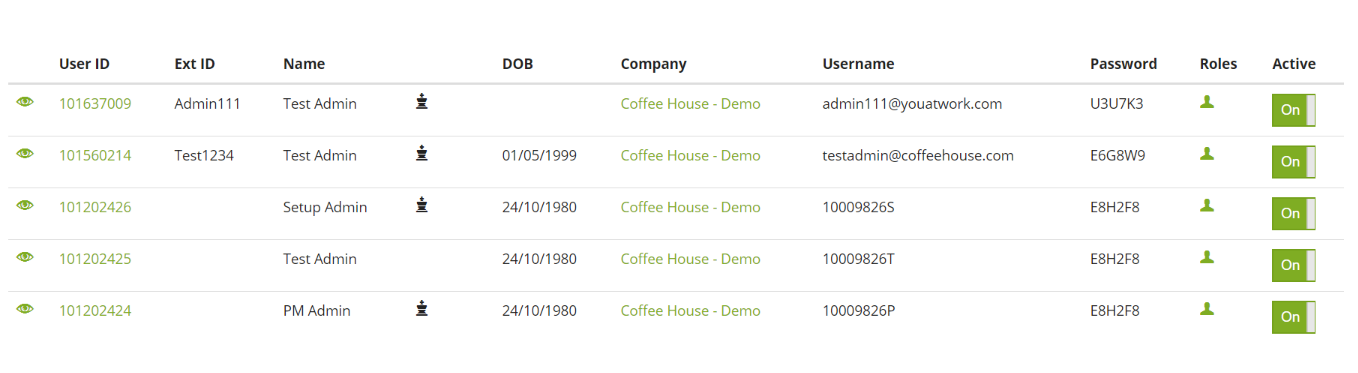
Alternatively, to set a future date to deactivate from - click on the users "userID" to enter into edit mode and set them an Employment Leave Date

The user will be made inactive after the date chosen. If you need to amend this, you can do so anytime before the date is reached.
Can I do this on Bulk?
Yes, absolutely! Go to "Users > Import Users" and import your leavers with a leave date in the past, they'll be deactivated immediately.
If you give them a leave date in the future, they'll be deactivated on that date instead of immediately.
Comments
0 comments
Please sign in to leave a comment.