When an employee leaves and has received their final payslip you'll need to remove them from the busy bee's payroll list to prevent them from appearing on childcare vouchers next month.
To do this go to your Busy Bee admin page, and click on 'Manage Payrolls' on the left hand side.

From here you want to select you current payroll.
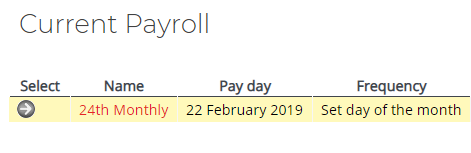
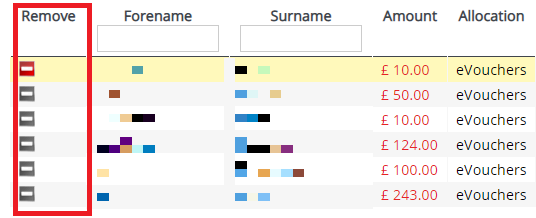
Once you are on your current payroll, it will show a list of employees, you want to click on the employee you wish to remove from payroll.
Note. Please do not delete employees from the 'manage employees' page, as this makes it difficult for former employees to deal with Busy Bees directly and can prevent them from accessing their childcare vouchers.
Comments
0 comments
Article is closed for comments.