What is it?
You no longer need to use our data template to upload new joiners, leavers or changes.
Simply upload the file in whichever format you export from your IT/HR/Payroll system, and the new data mapper will allow you to map the data to the relevant columns before initiating the upload, even if the column headers do not match specifically or there are some unused columns in the file
...the only stipulation that the file needs to be in CSV format.
How does it work?
Export your list of New joiners, leavers and changes then head over to start the import
Admin Suite > Users > Import Users
Click to start the import, choose your file and you'll then be prompted to start the mapping process
You now map the columns to the relevant data in your file, any additional columns in your file which you don't need can be set to be "ignored".
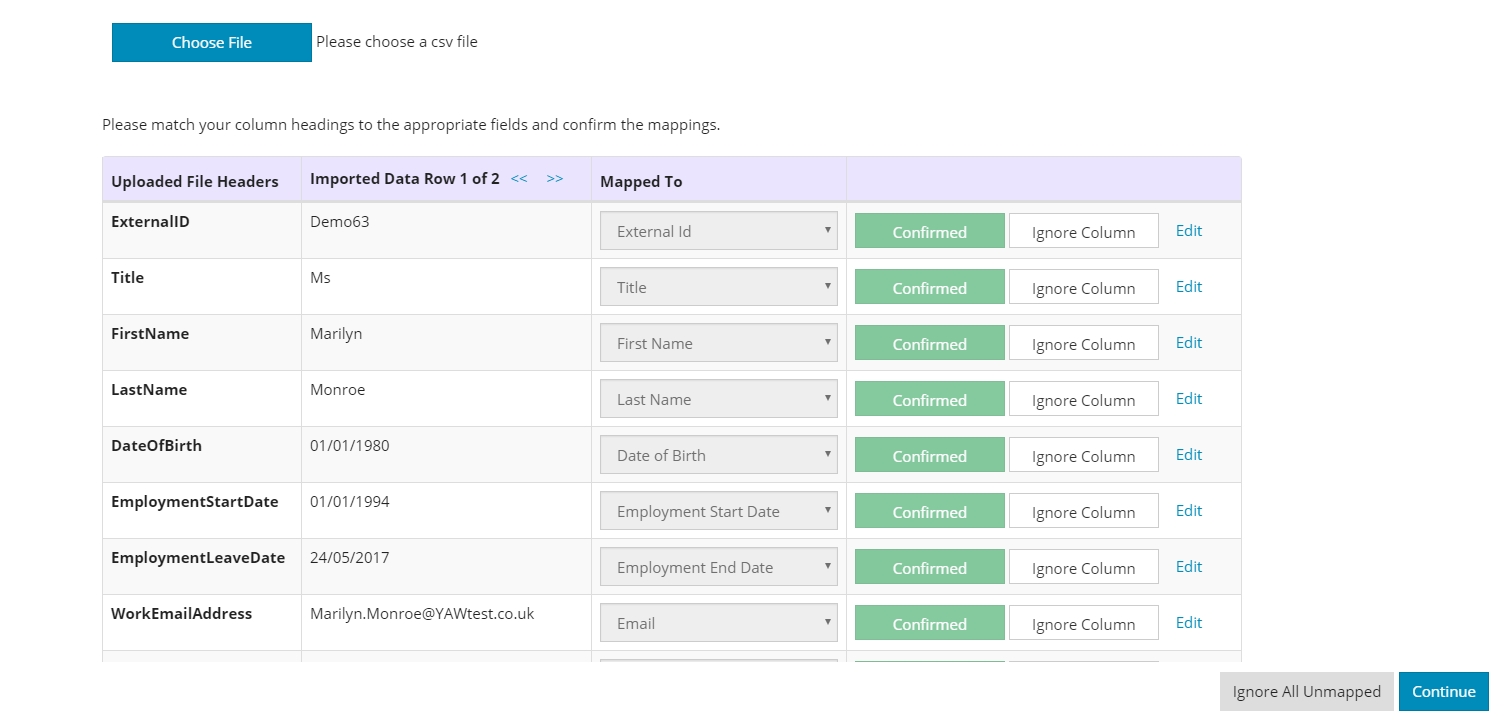
Any issues in the data can be resolved in the actual data mapper during the next step – although we would always recommend adding any fixes to the source data to make sure the mistakes are removed from the original data and not just from data mapper as this will help with future uploads for data in similar formats or if the original file needs to be uploaded again.
Comments
0 comments
Article is closed for comments.