As an administrator on the portal, when going into the payslips section of the portal, the following buttons are visible. They can only be seen by Payslip administrators within each company / IFA.
From here the payslip publishing process is started and managed. At the top of the page you will see a basic summary of the most recent payslips upload.
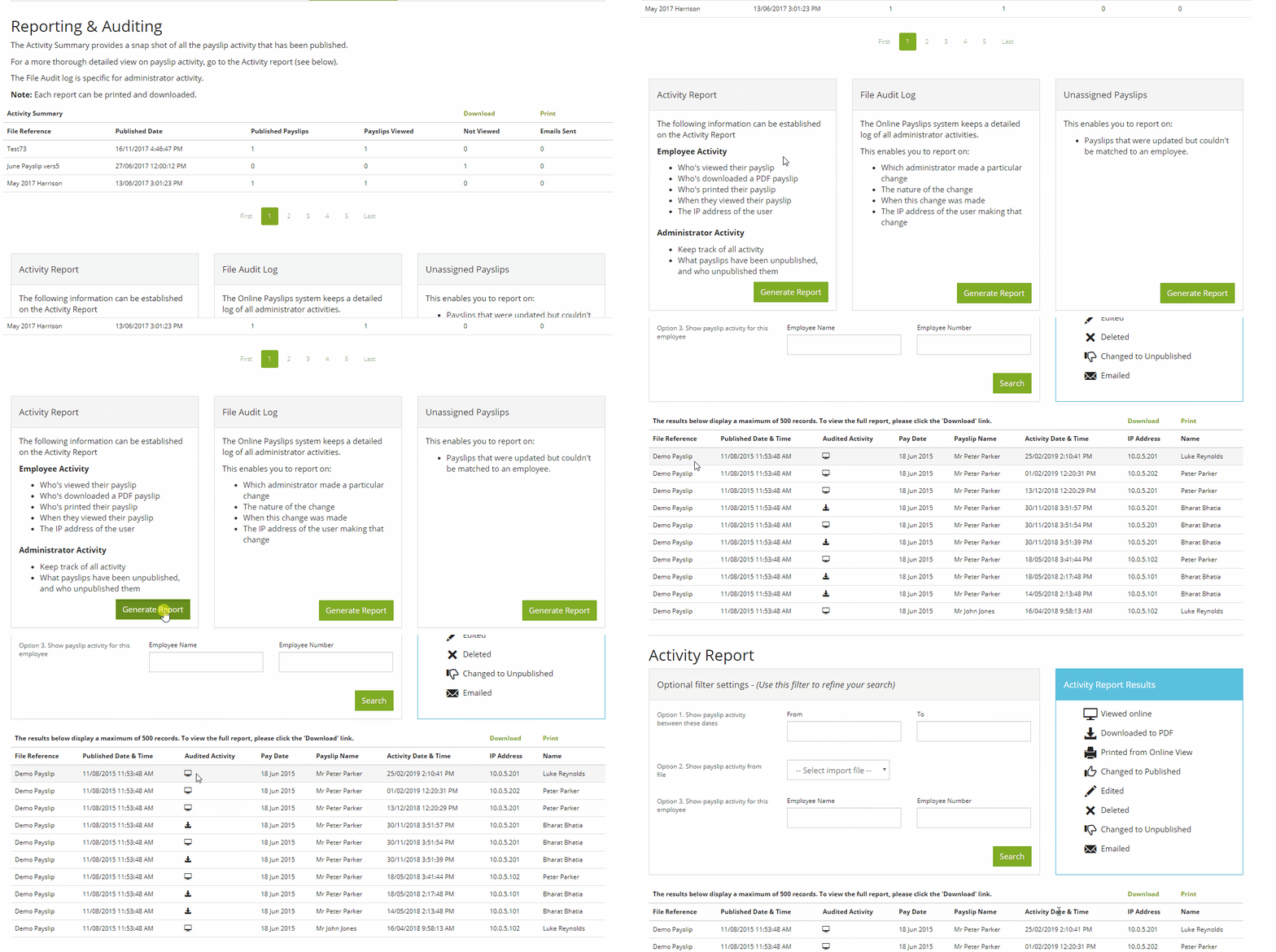
For the Payslips report, go to the 'Reporting & Auditing' tab.
- The activity summary lets administrators know at a glance how many people have accessed their payslip online. To generate a report on the auditing of the payslips, go to the ‘File Audit Log’ box on this page and click ‘Generate Report’
- To generate an Activity report click ‘Generate Report’ in the activity report section, this report will show the stats on a particular upload and will show who has viewed (this will also show when this was viewed), employees who have downloaded/printed their payslip
- The final report will show any employees that could not be matched on the payslip file upload
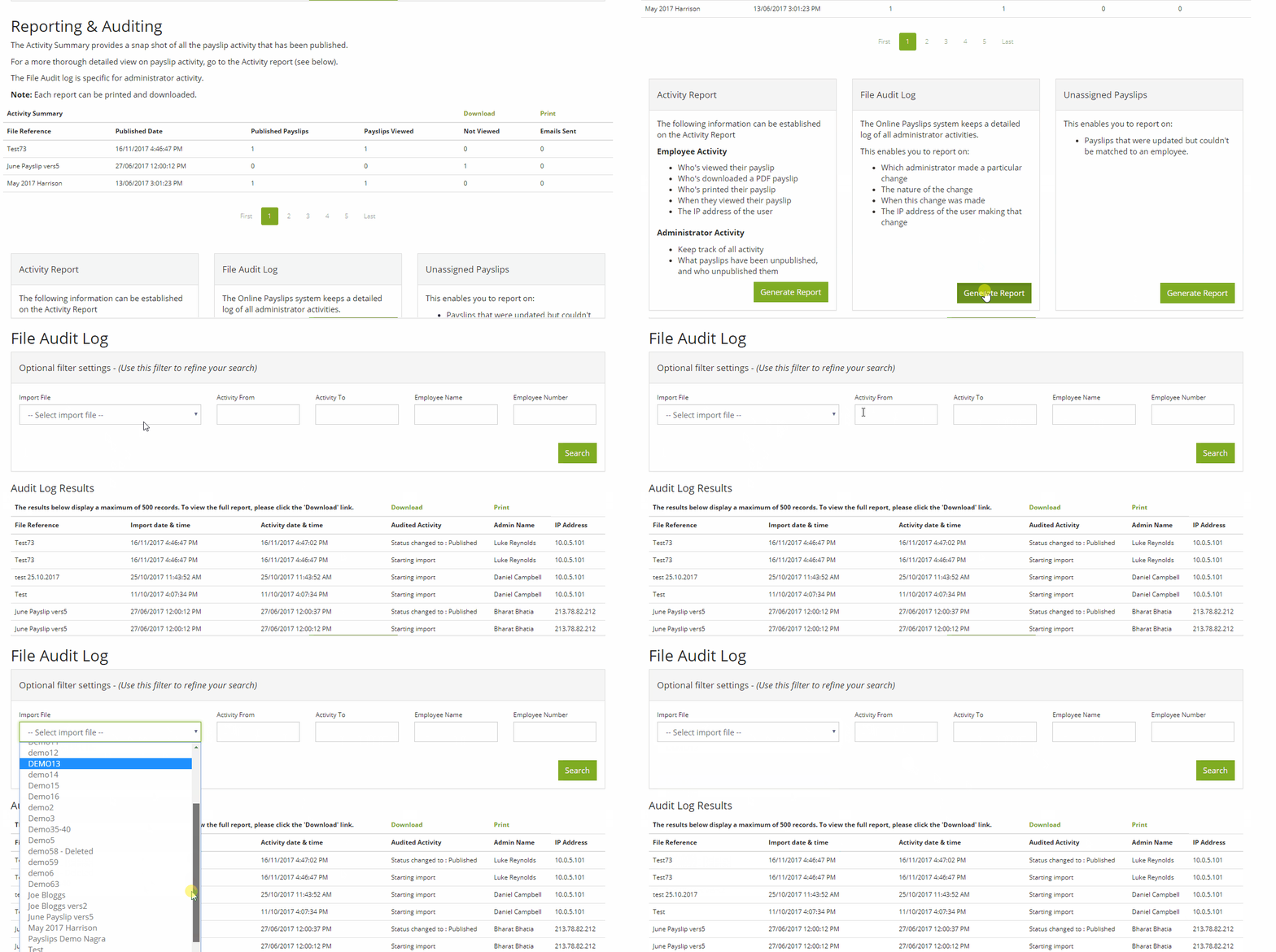
Any Administrator activity is displayed in the audit log. This means it’s possible to know who is responsible for any changes to a file, which is particularly useful when one than one administrator has access to the system.
Comments
0 comments
Please sign in to leave a comment.