Whether you're new to You at Work or are adding a new benefit there may come a time when you wish need to show selections made on another system when employees log on for the first/next time.
This article will explain how this can be achieved without a complicated data mapping feature
This is a benefit by benefit process; we suggest you start with your most simple benefit. In this instance, we're going to start with a dental insurance benefit and assume half of the staff selected level 1 and the other half selected level 2.
Click on the "Manual Allocations" tab for the benefit you wish to migrate selections

It helps to get your data in a nice readable format before you begin, so you can easily mimic these selections on the software.
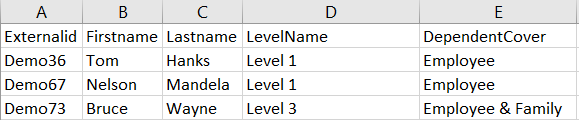
Lets begin:
Comments
0 comments
Article is closed for comments.