To approve a selection, you need to go to the Benefit Selections page in the portal. Here is how to get there:
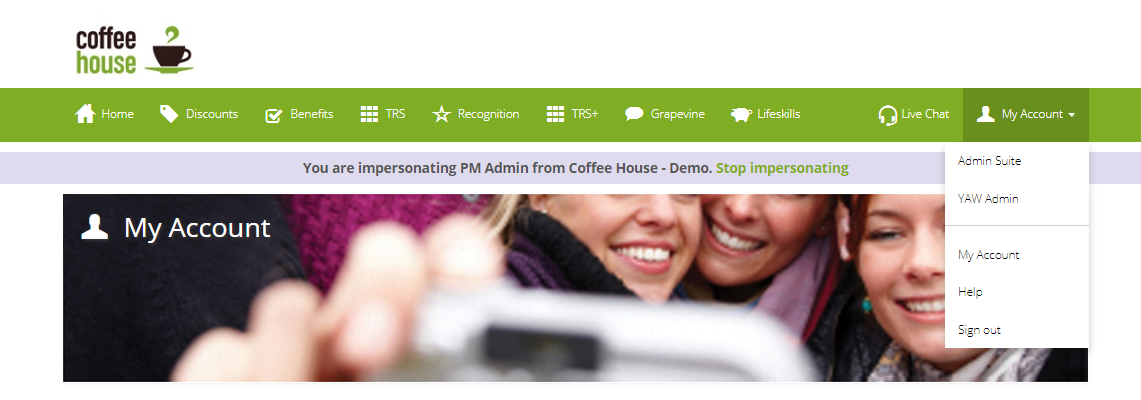
- Log-in to the portal and go to ‘My Account’
- Select ‘Admin Suite’
- Click on the ‘Benefits’ tab
- Select ‘Benefit Selections’ from the drop-down menu
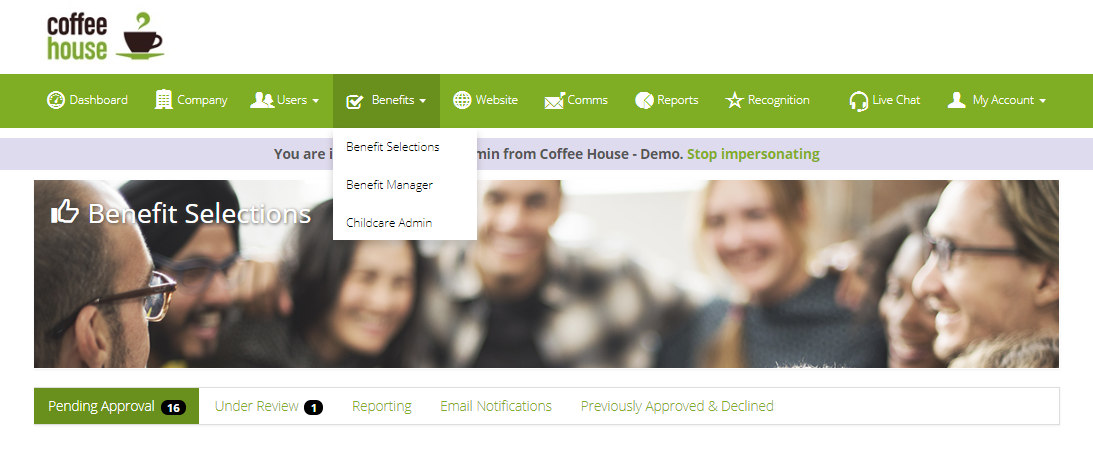
From here, any selections that are waiting for approval will be under the Pending Approval tab. Selections can be approved, marked for review* or declined individually, or you can use the multi-select feature to do this on bulk.
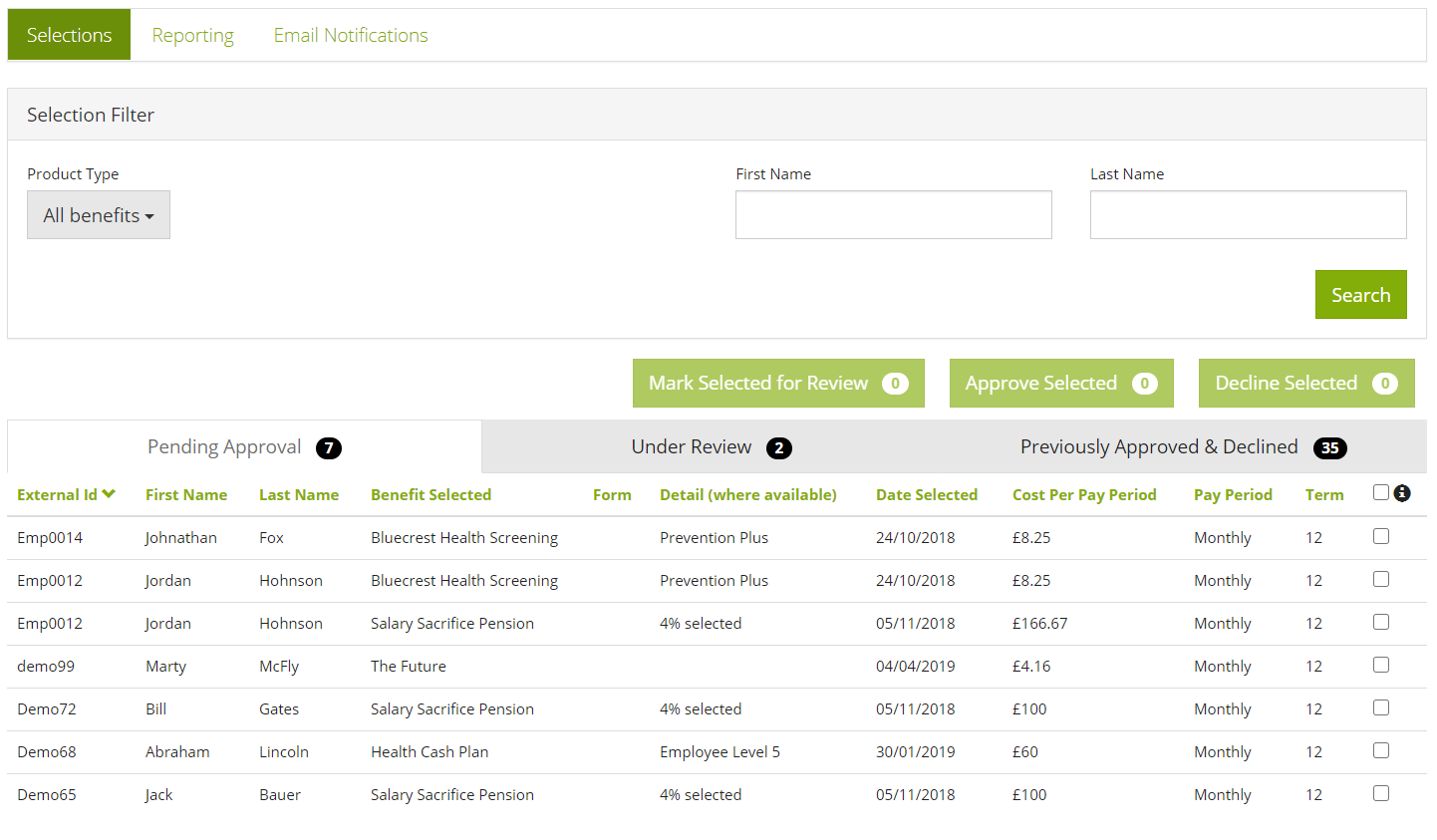
*Marked for review is useful if you are waiting for further information or require checks before approving the selection, you can also mark the selection for review using the tick box next to approval on this page. Doing this helps keep the page cleaner and easier to manage, plus if you are using daily, weekly or monthly summaries, this will stop notifications for these selections
What happens next?
- You will need to ensure payroll deductions are made for the employees who's selections have approved. Read our guide on how to generate reports for payroll
- If the benefit was introduced by YouatWork, then the likely hood is that we will handle the reporting of new selections to the provider. If this benefit was a pre-existing benefit when you joined YouatWork, or you have a broker who introduced this benefit, you will need to download the selection data and ensure it gets to the benefit provider. Read our guide on how to generate reports for providers.
Comments
0 comments
Article is closed for comments.