Under the Email Notifications tab, you can set up email notifications for new selections, you can choose the frequency of the notifications, turn off notifications altogether or CC people to the notifications by email address, ensuring that selections are picked up promptly.
If using daily, weekly or monthly notifications you will only get notified via email if there are any selections still pending approval when the email is scheduled to go. For instance, if you or a colleague have already approved all of the selections before your scheduled daily, weekly or monthly emails you will not get an email notification, as there is nothing left to approve. Likewise, if you have daily, weekly, or monthly notifications set, and you leave a benefit under approval without approving or declining, you'll receive a notification at the scheduled frequency to remind you there are still selections to approve.
Notification frequency is set per person, so if working in a team you may each have your own frequency for notifications
By Default - as soon as you give the "Selection Approver" role to someone - email notifications are set to instant; "Send me a notification email for every selection"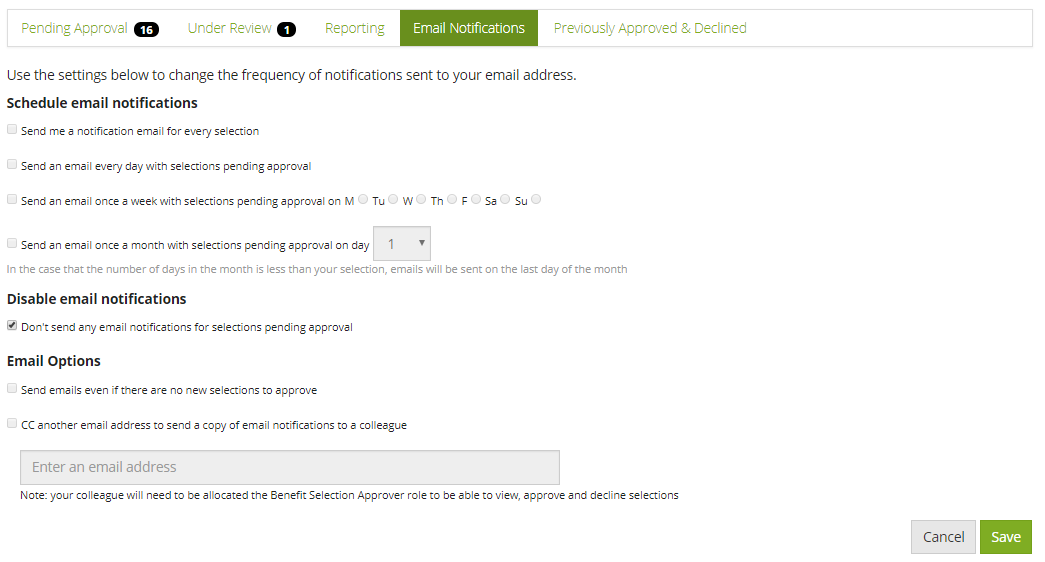
Comments
0 comments
Article is closed for comments.