Now that you have your Groups set up and you have users in those groups, you now want to start allocating certain benefits to certain groups.
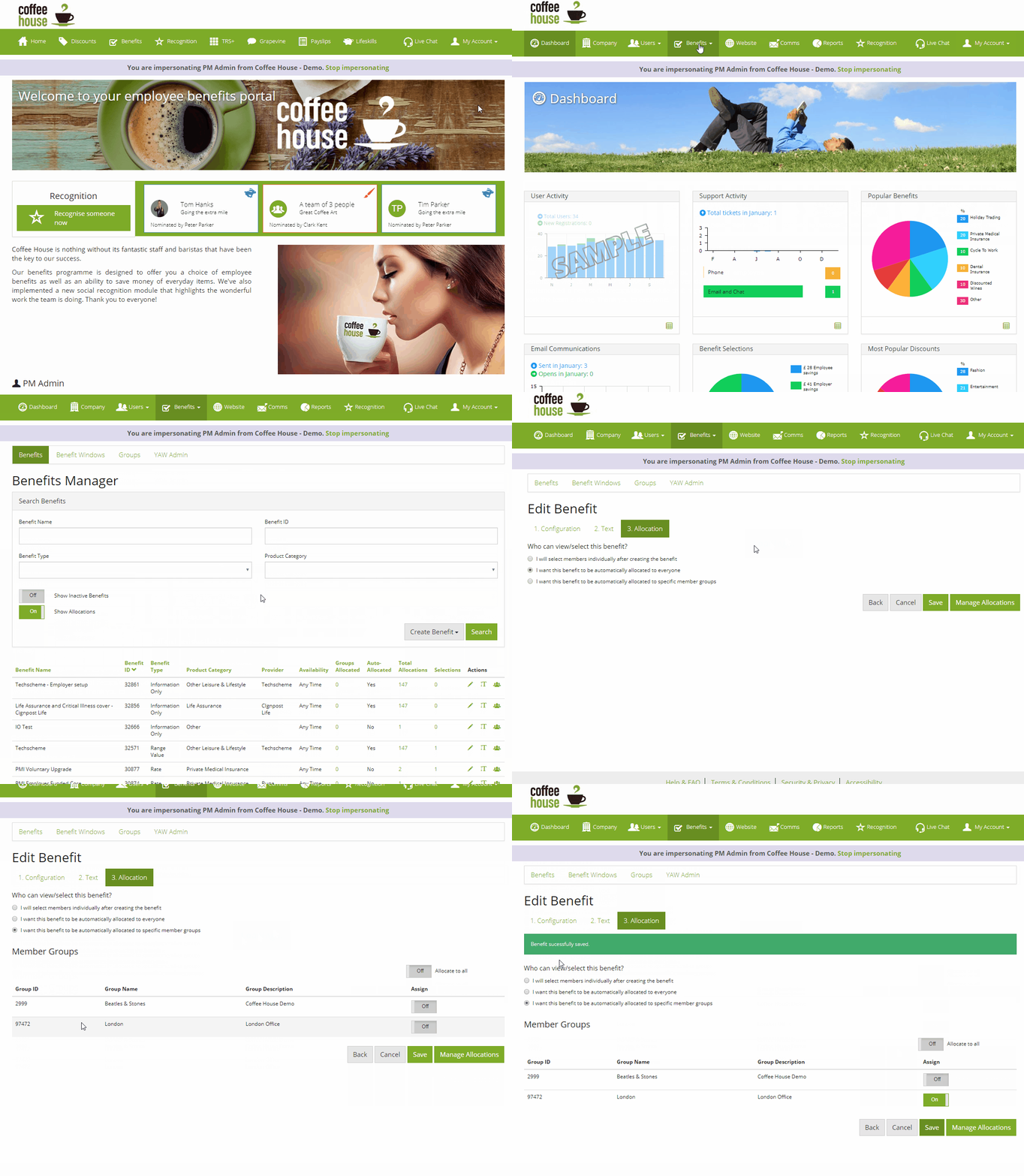
You can do this by going into your benefit manager, once there, you want click on the Groups Allocated tab of the benefit you want to allocate a group to.
Once you have clicked on the benefit, you want to select 'I want this benefit to be automatically allocated to specific member groups' This will open a list of all groups.
Click 'assign' to allocate the benefit to that specific group as seen below:
Comments
0 comments
Article is closed for comments.