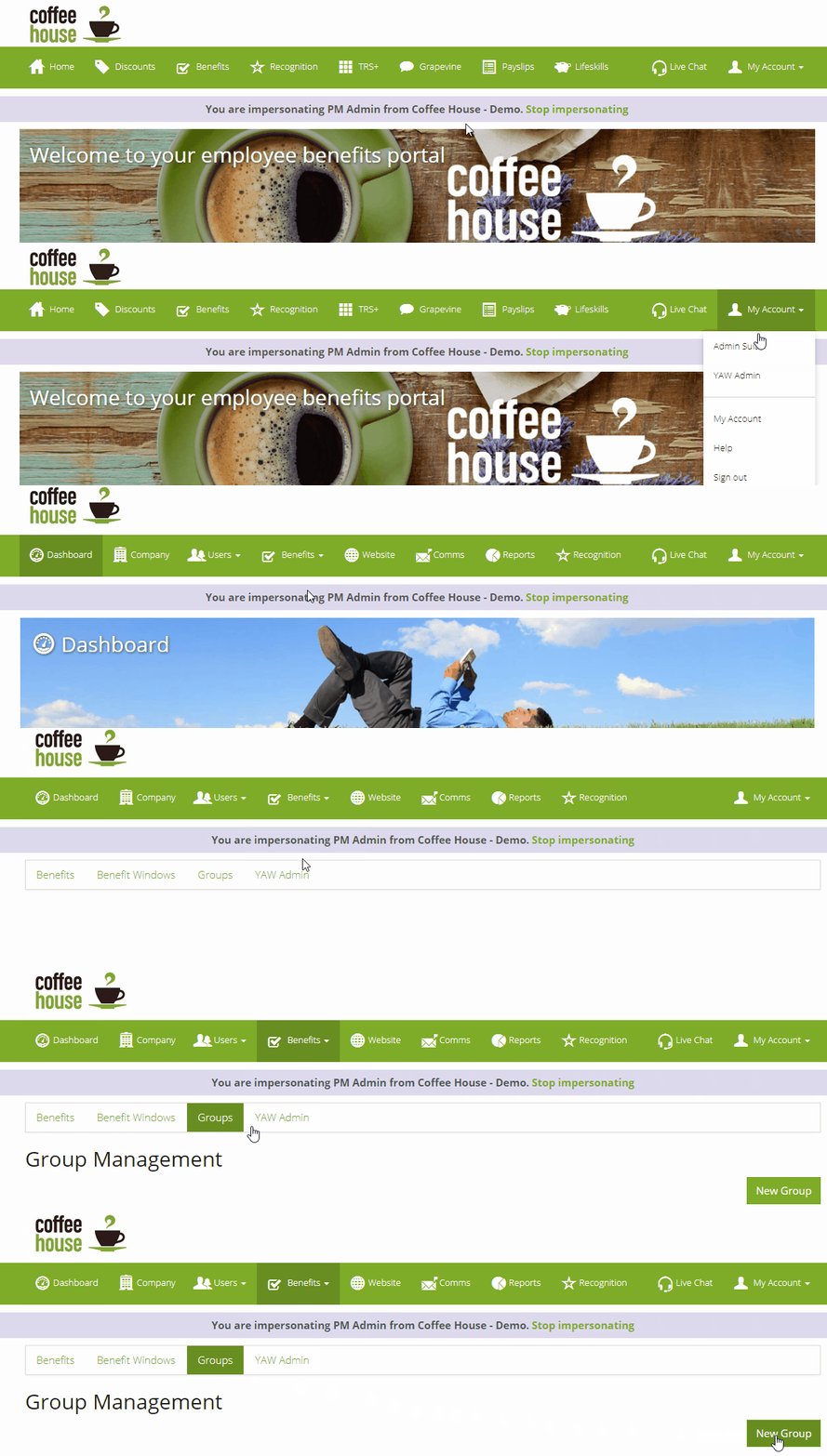
To create a user group you want to navigate to your admin portal, then from your admin portal click on benefits and go to the benefit manager. From the benefit manager you want to click on Groups, then on the Groups tab, click on New Group as seen below:
Once you have clicked on New Group, you can then name your new group and give it a brief description as seen below.
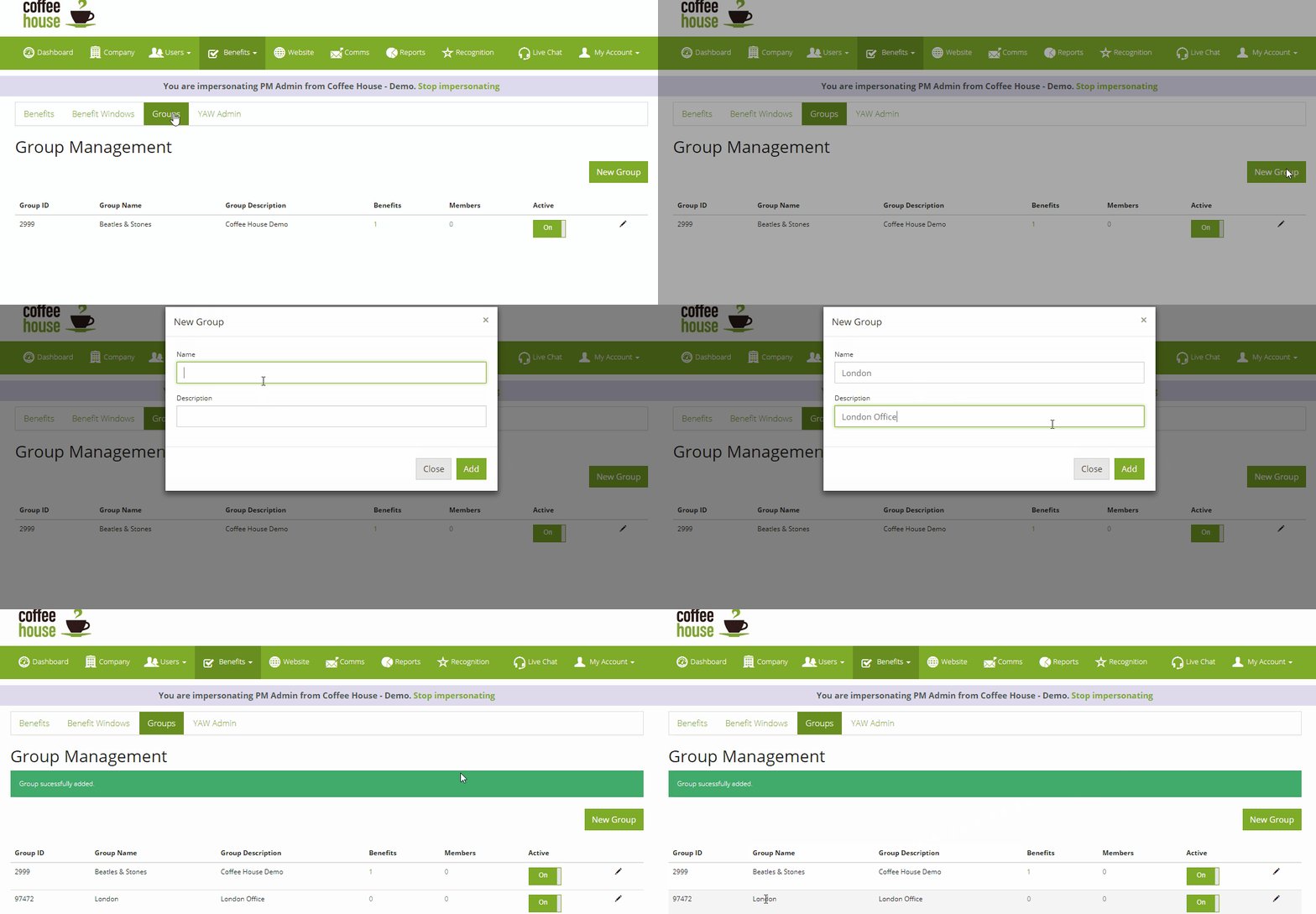
Note. You can create as many groups as you like, however, users can only be in one group at a time.
Comments
0 comments
Article is closed for comments.