Benefits are displayed on the website in alphabetical order by default, and in previous versions of the site it was not possible to change the order in which the benefits are displayed.
In our latest release, we have introduced a tool to allow users with admin access on the portal to customise the display order to their preference.
This can make it easier for Users to navigate the page, allows similar benefits to be grouped together and gives your portal a more bespoke and personalised feel.
To customise the display order, go to:
My Account > Admin Suite > Benefits Manager
Here you will see Display Order tab on the sub-navigation bar and it will open up the following page
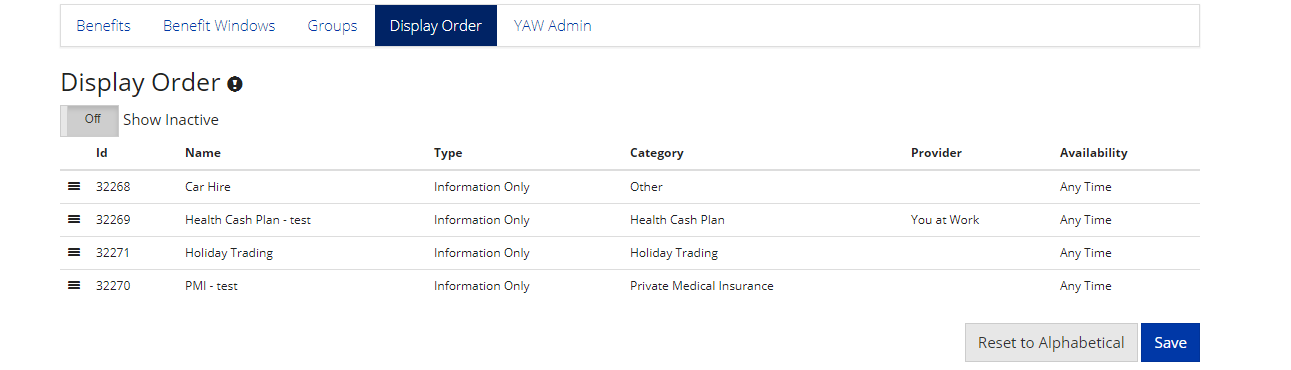
You will see a list of active benefits but to order all benefits, turn on the Show Inactive toggle.
To rearrange the order of the benefits, simply click on the  and drag the benefit into the desired position and save your order. You can reset the order back to alphabetical using the Reset to Alphabetical button.
Comments
0 comments
Article is closed for comments.