Employer Costs allow us to show both the employee cost and the employer costs of a benefit side by side.
The example below shows the employee that Level 1 of their Health Cash Plan is funded by the employer, but increasing to Level 2 will be paid by the employee
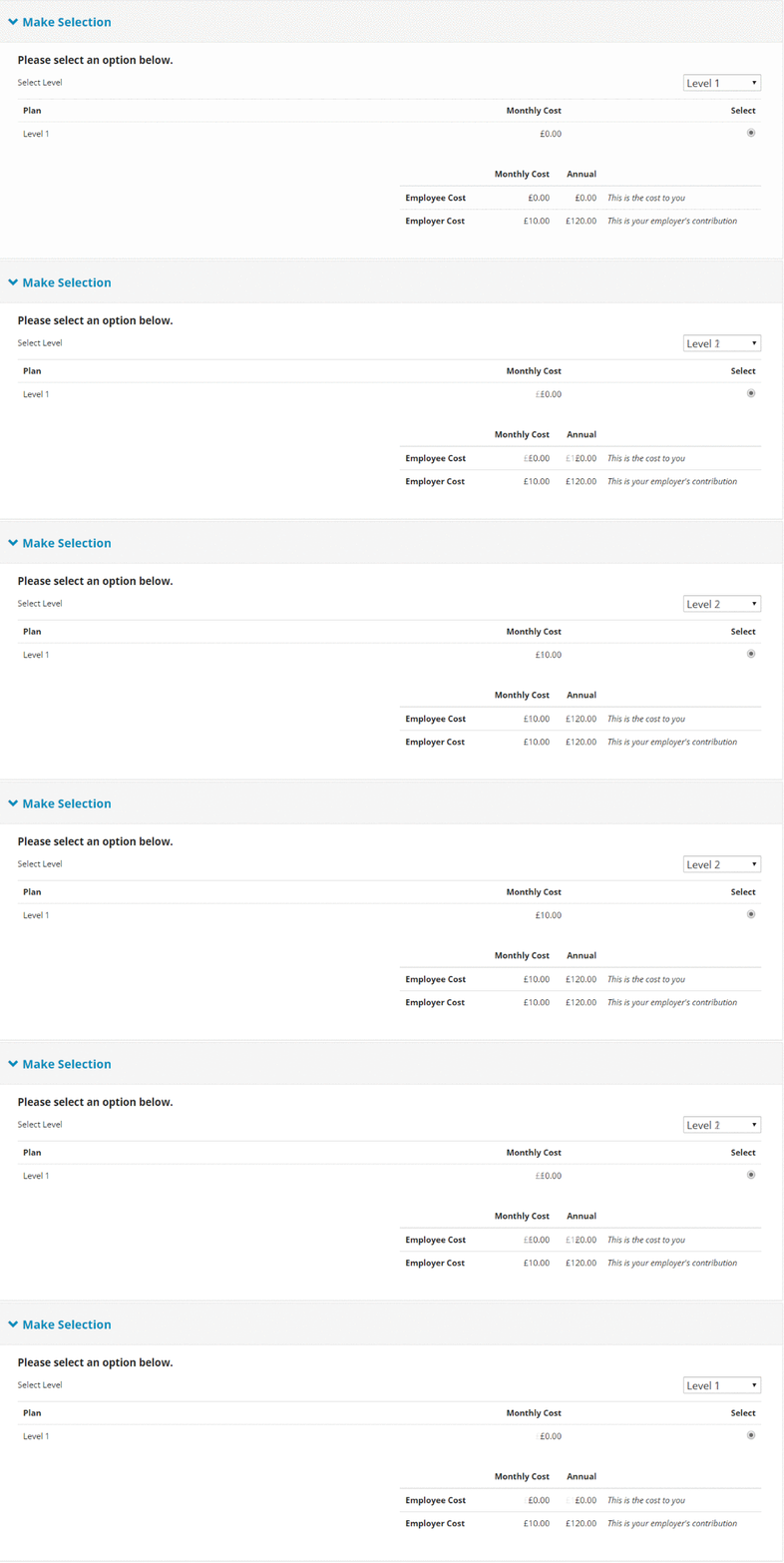
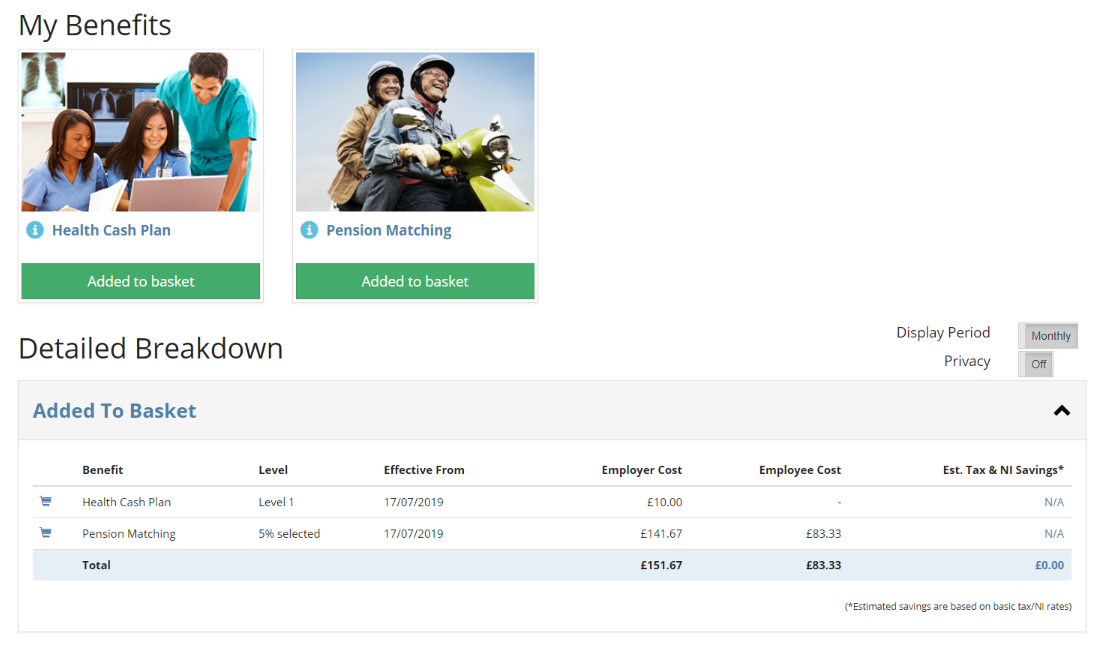
Employer costs show on the "My Benefits" Table, the "in-basket table", and also when the employee is checking out. Employees now see the full cost them and the employer when checking out benefits.
Can I show Employer Costs on all benefits?
Employee costs can currently* only be used on the following benefit types:
- "Range-Value"
- "Dropdown"
- "Rate"
*Other benefit types will have the same capabilities soon
In real-world terms, that means you can currently Employer Costs for:
- Pension
- Critical Illness
- Life Assurance
- Dental Insurance
- Health Cash Plan
- Health Screening
- Private Medical Insurance
- Travel Insurance
How does it work?
Employer costs work on a custom calculation, these can be used across multiple benefits or you can have one rule per benefit; or not show employer costs on a benefit.
Employer costs calculations are written in SQL, and can currently only be created by YAW Super Administrators. If you are a partner/reseller/client who want to use employer costs please contact support with details on how you want employer costs to work and we'll set this up for you.
Employer cost calculations have a set of variables which you can use to set the employer cost; it could be a constant "Employer cost = X" OR on a complicated IF; elseIF rule taking into account the users age, group, Employment Start Date.
Read our "how to create employer cost calculations"
Comments
0 comments
Please sign in to leave a comment.