Custom Fields can only be setup by a You at Work implementation consultant or partner equivalent. If you are a client, please contact your account manager to discuss the options.
This guide will assume the account manager or implementation consultant have discussed and agreed the requirements with the client
Where to start?
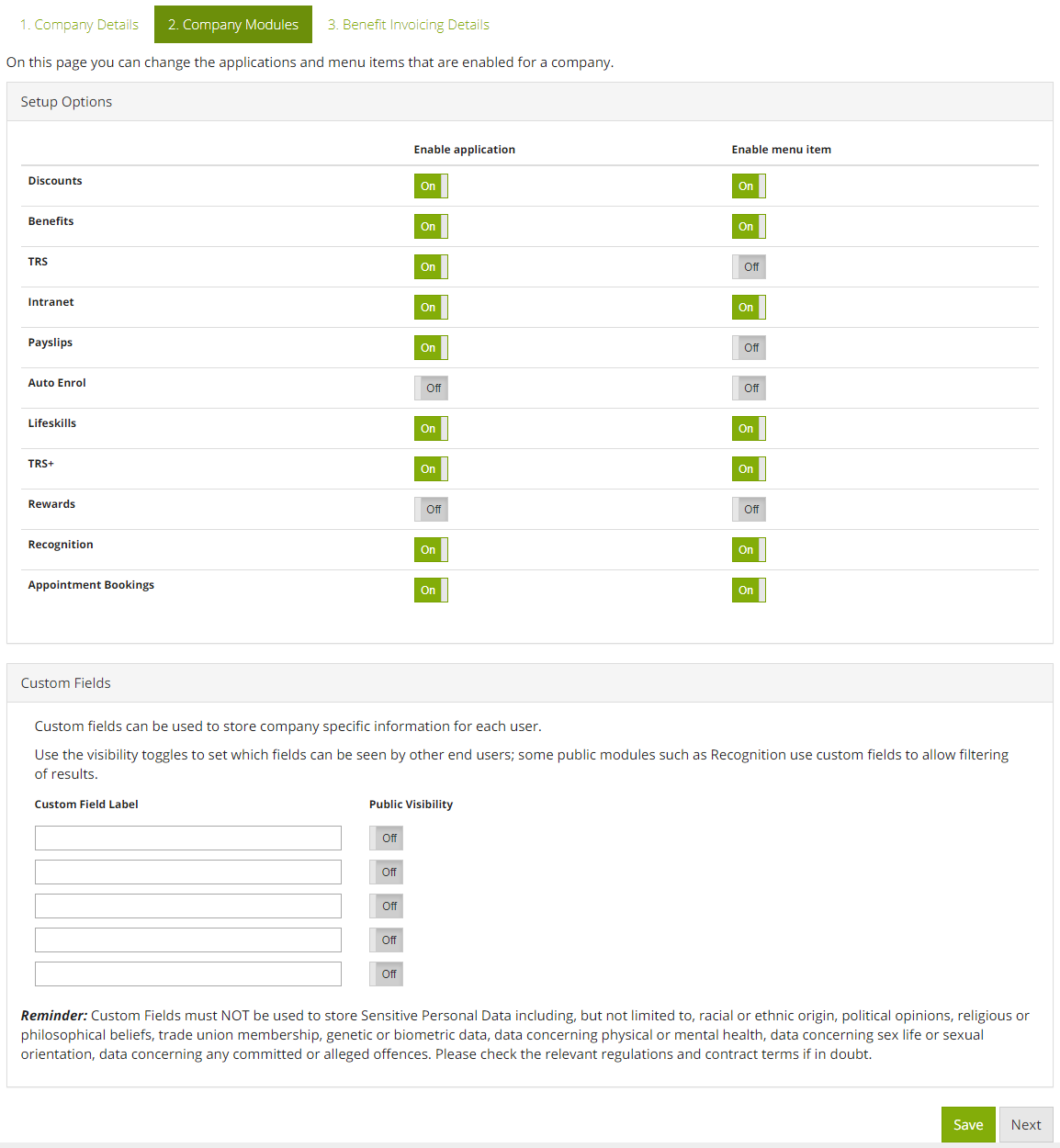
Within the Company Setup page, navigate to the "Company Modules" page. Here you will now find a new area to setup custom fields.
Public vs Private
A custom field has the ability to be public or private. Making it public means it has the ability to be used by peer-to-peer applications, such as Recognition, and the data contained within it could be seen by peers.
For instance, making a custom field public unlocks the ability for Recognition to see it, and the client administrator can then subsequently amend the setup of Recognition to use it as a filter for employee's activity feeds.
At present, the only module that handles a pubic custom field is Recognition.
Comments
0 comments
Article is closed for comments.