When creating a scheme, the scheme dates cannot be amended once the scheme has been saved but the scheme name can be changed.
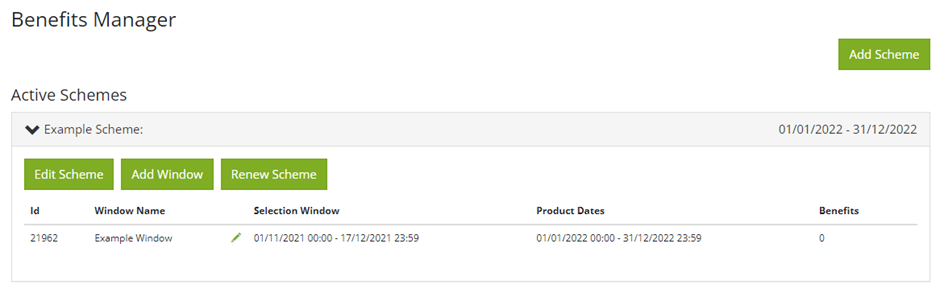
If you need to change the window dates you can do this by pressing the pencil button, next to the window name and selection window, as shown in the image.
Then you will be taken to a page where you can change the details of the window. You can change the window name, selection dates and the product start date.
You can also make the window available to certain individuals or groups.
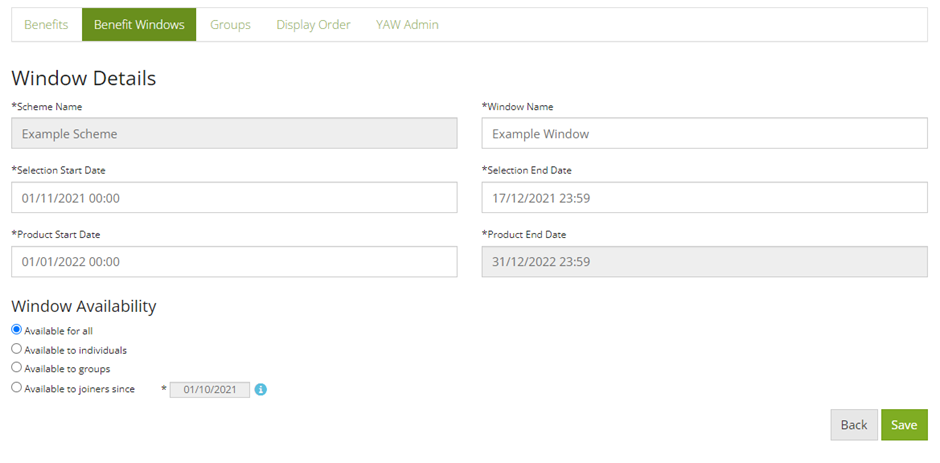
Save the new dates for the window and now the window will be open for the new start dates.
Comments
0 comments
Please sign in to leave a comment.