So you have your app enabled and your free Calendly account setup, it's now time to actually create and manage your appointments, meetings and events.
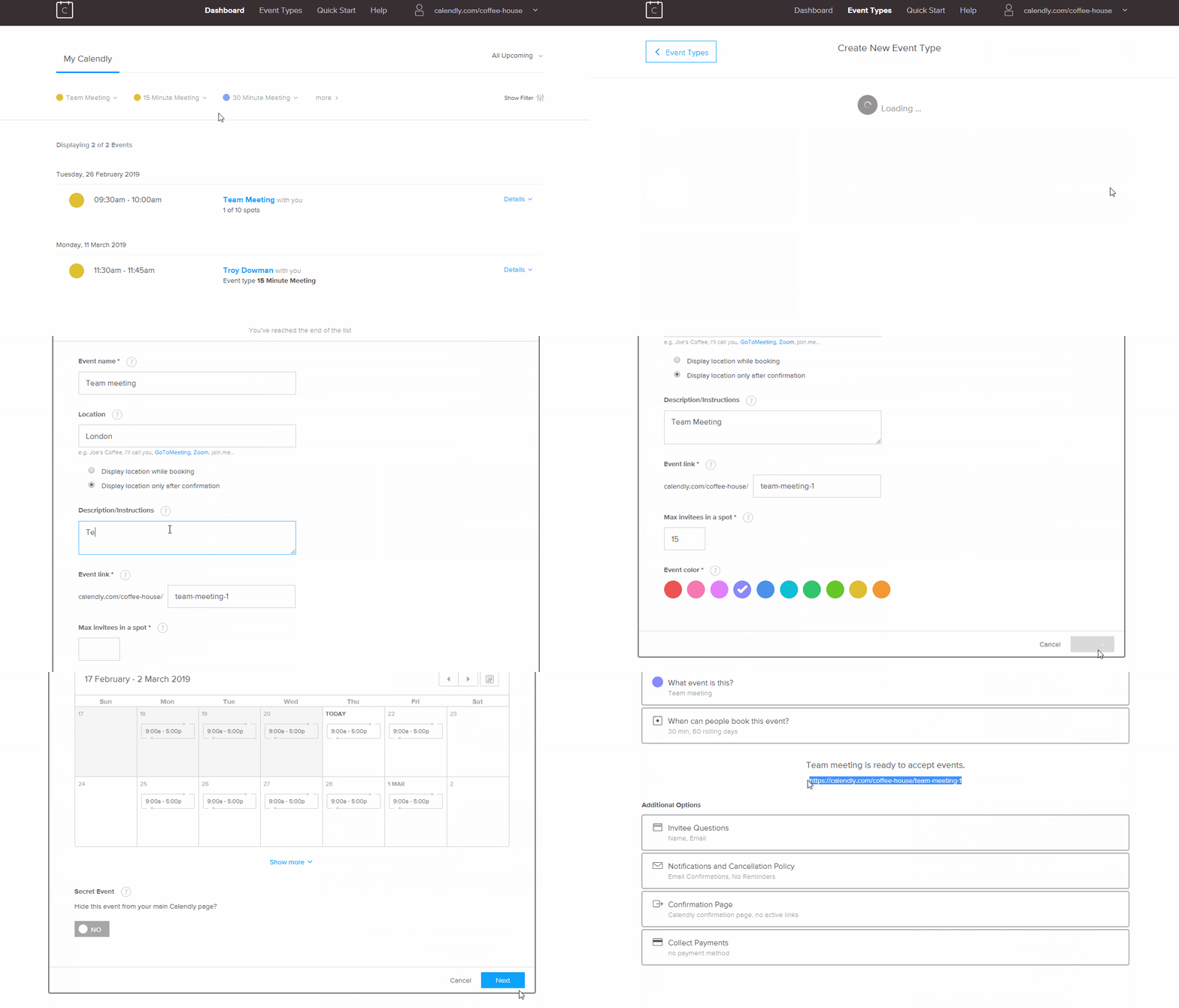
From your Calendly dashboard, click on Event types, then New event type.
First, choose what type of appointment you would like to create, a one-on-one meeting or a groups meeting. Next, create your event name, location and a description or instructions. You can set custom times and dates for your appointments as well as limit the amount of attendees.
Once you have finished all the above steps and you are happy with it, simply copy the link as seen below:
Lastly, we need to link your newly created event with the You At Work appointment booking app via the portal, head on over to the final part of the guide to see how to do this.
Comments
0 comments
Article is closed for comments.