Activating your new Appointment is as easy as the click of a button!
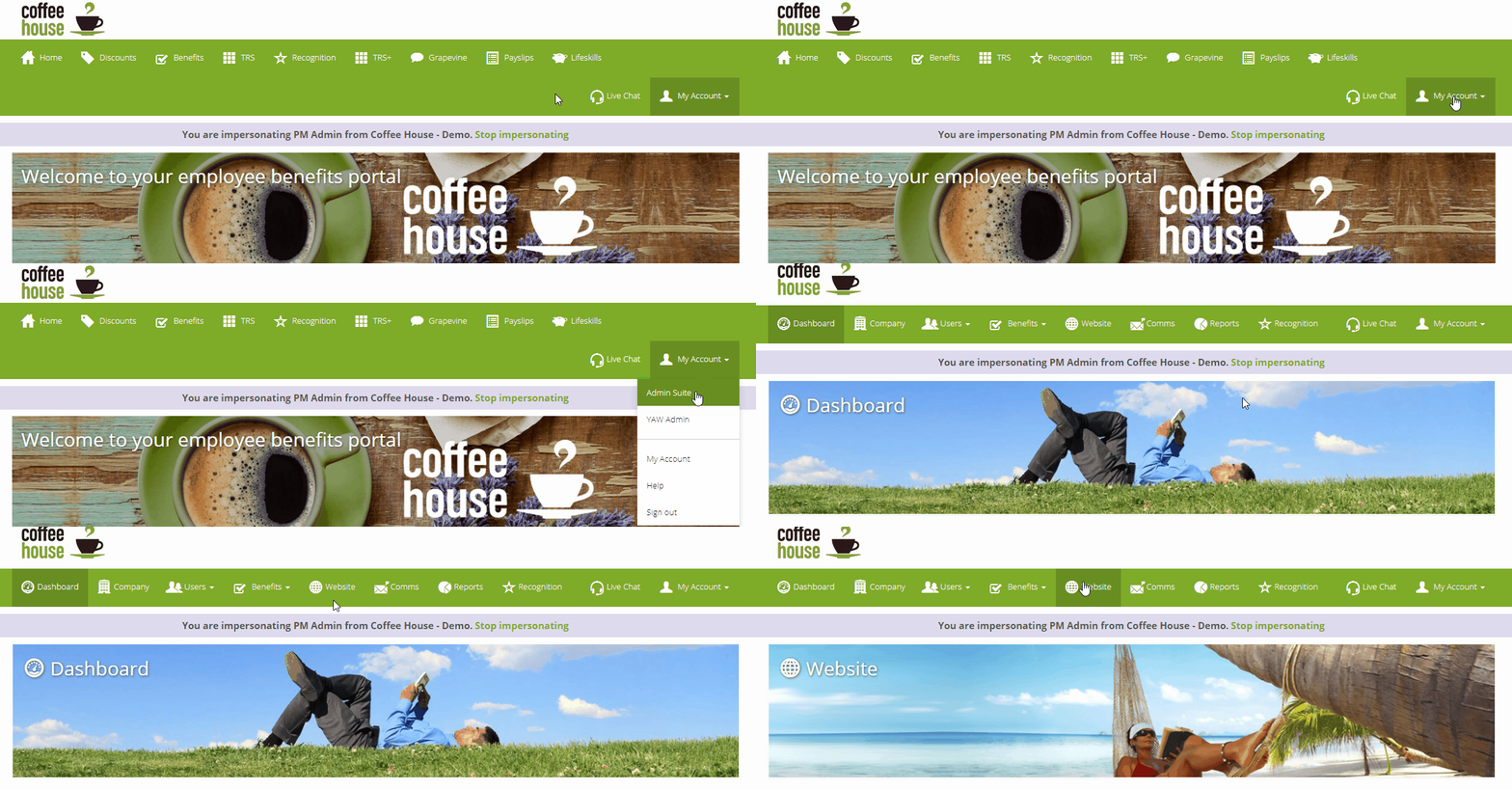
To do it, just head over to your admin portal, from there click on 'website' as seen below:
Once you are on the website management page, scroll down and a enable the appointment bookings app and include it in the menu as seen below:
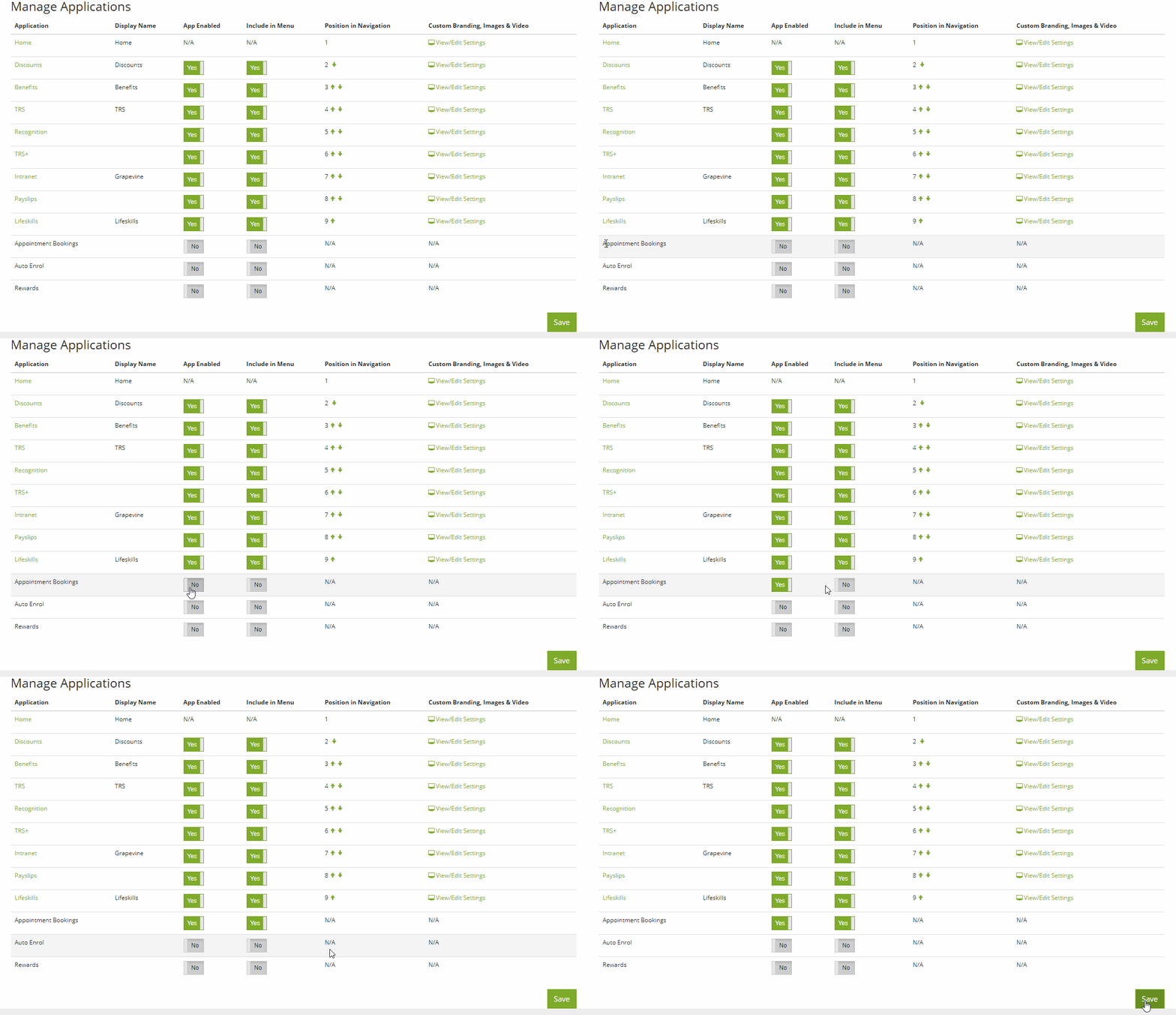
You app has now been activated! Head on over to the next part of the guide to see how to setup your free Calendly account.
Comments
0 comments
Article is closed for comments.