When it comes to engagement there is no better way to keep your employees engaged than via e-mail communications. You can set these up from your “Admin Dashboard” on your portal (you will need to request 'Comms' admin access from your YAW implementer). Follow the below journey:
Login > My Account > Admin Suite > Comms
You will see the allocated templates for your company on your “Home” section within the “Comms” section (as below illustrates)
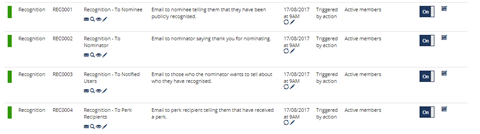
These are “Recognition” specific templates that can be edited for bespoke needs from your “Home” page.
To make edits to the e-mail you will need to select the pencil. Please be careful when editing HTML. We advise letting edits be made by someone who has an understanding of HTML.
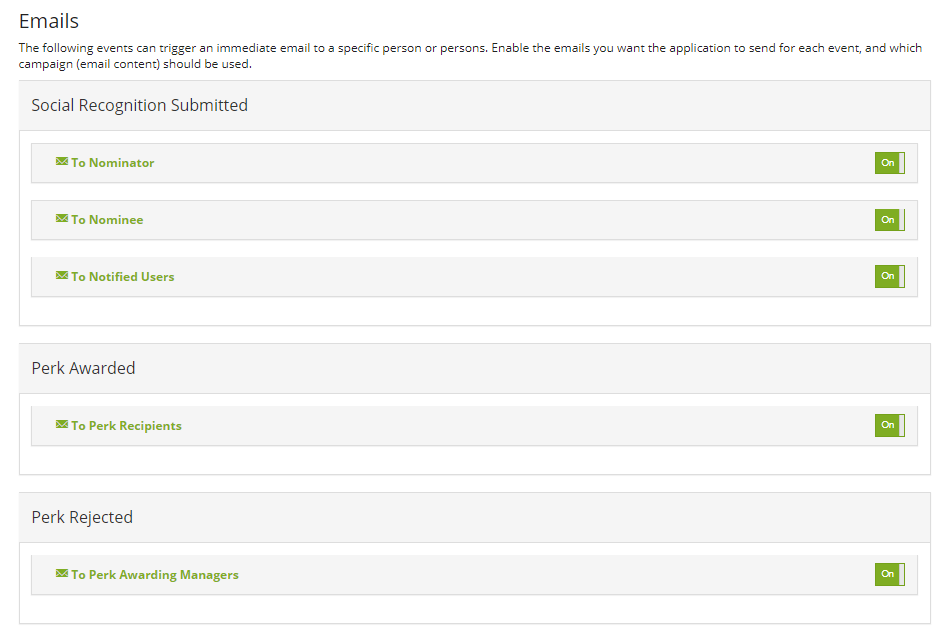
Within the Recognition Admin section itself, you can toggle which action driven emails you wish to be sent via the Recognition email software as below:
Comments
0 comments
Please sign in to leave a comment.