Getting ready to launch your formal recognition programme
There are a few background tasks that need to be complete to launch.
|
What needs to be done |
Who needs to do this |
How |
|
Decide on your formal recognition programme name |
Client |
Recognition Admin |
|
Decide on the label for employees to nominate a colleague |
Client |
Recognition Admin |
|
Decide on your values |
Client |
Recognition Admin |
|
Decide on your perks |
Client |
Recognition Admin |
|
Set up your formal nomination scheme year and window(s) |
Client |
Recognition Admin |
|
Provide List of Departments |
Client |
Complete spreadsheet |
|
Add Departments to the portal |
YAW |
|
|
Decide who can authorize for each department |
Client |
Complete spreadsheet |
|
Agree on the budgets for each department |
Client |
Complete spreadsheet |
|
Add budgets and authorisers to the portal |
YAW |
|
|
Create a guidance form to help your colleagues understand the values, how to nominate etc. |
Client |
Create a document and upload via Recognition Admin |
|
Allocate each person to a Department |
Client |
Upload via Import Users |
Budgets
Budgets are advisory only can be held at any level and are independent of the approval chain.
Departments
Your departments will be used for 2 main purposes
- For the Nominator to nominate Joe Bloggs from Account Management for an award.
- To define the approval process for Joe’s nomination
Levels of approval are flexible
- There must be at least one level
- No maximum
- We recommend at least 2 approvers for each Department to avoid stoppages due to holiday / sickness - although Recognition Admins can always intervene
Here are some examples of how you could set up your departments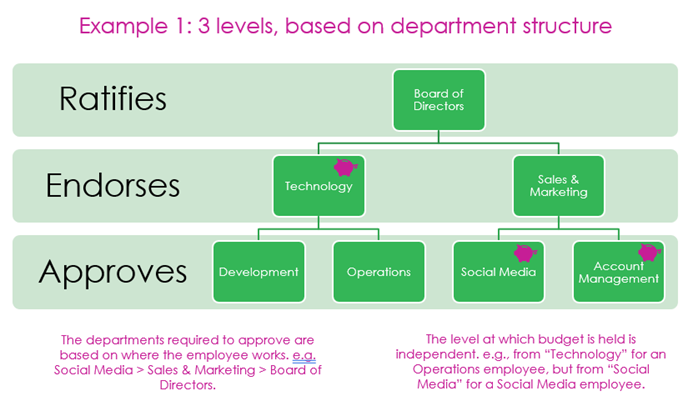
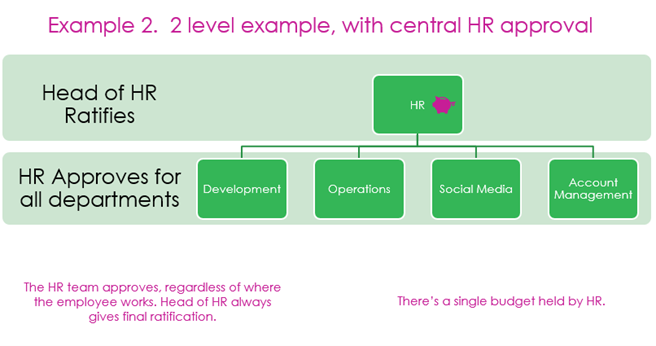
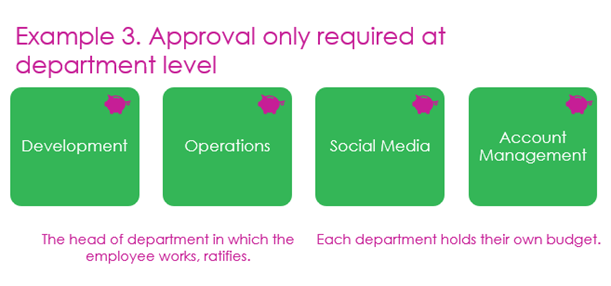
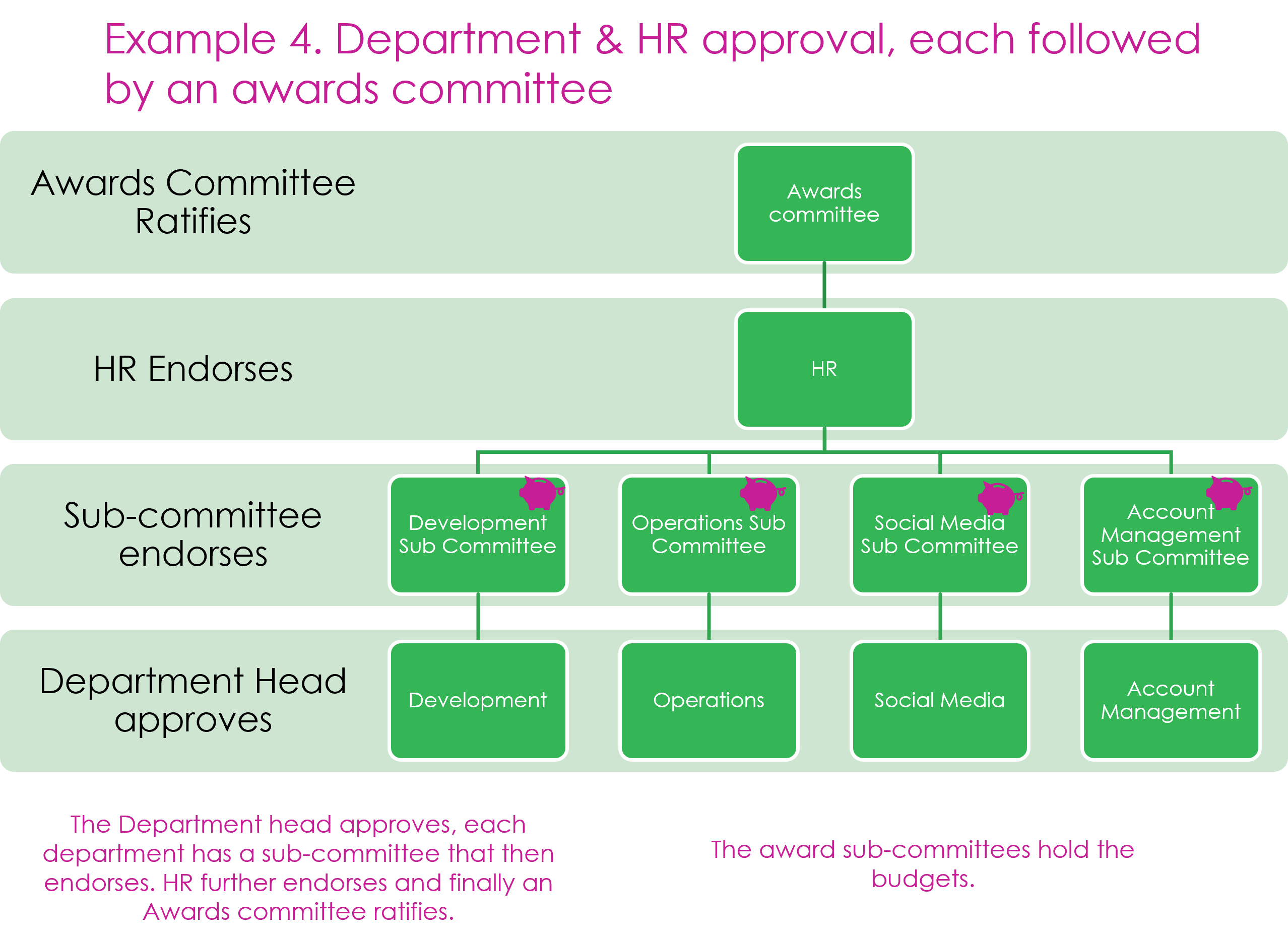
Once you have decided on your departments and approval chain please download and complete this spreadsheet and send it to customer.services@youatwork.com so that it can be uploaded onto the portal.
Sample Hierarchy&approvers.xlsx (zendesk.com)
Comments
0 comments
Please sign in to leave a comment.