We're happy to announce a new 100% paperless Order Agreement process, that will dramatically reduce administration time for both yourselves and for employees who are signing up to new benefits ( on benefits where forms are required.)
Previously employees would need to download and print hire agreements, before either scanning them and emailing or posting them back to you in HR, in order for you to approve their order. Whenever you had to audit, or search for a particular person, you had to search your emails or filing cabinets. Well, not any more! (well, only for new orders made on the new process!)
Here is a breakdown of the changes:
1.) Employee View:
When clicking "add to basket" on a benefit that has a form attached, a popup appears on the employee's screen that hosts the form, prefilled with their details and what they selected. The employee must click "Accept" before it adds to basket - there is now no way anyone can say they didn't see the form!
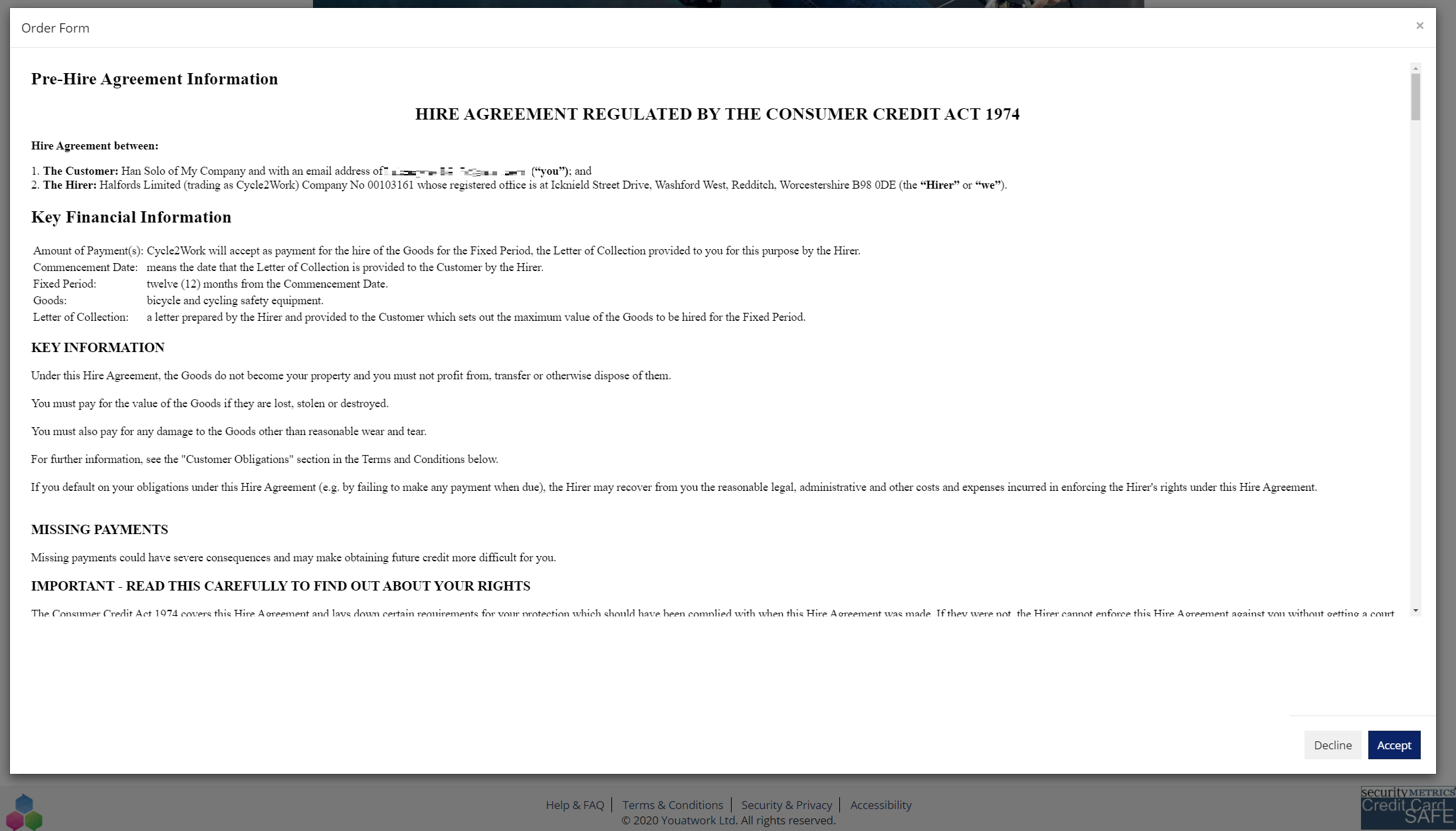
They can always view the form on the benefit later too if they need to- and if they change their selection amount the system will ask them to re-approve the form.
2) Approval Page
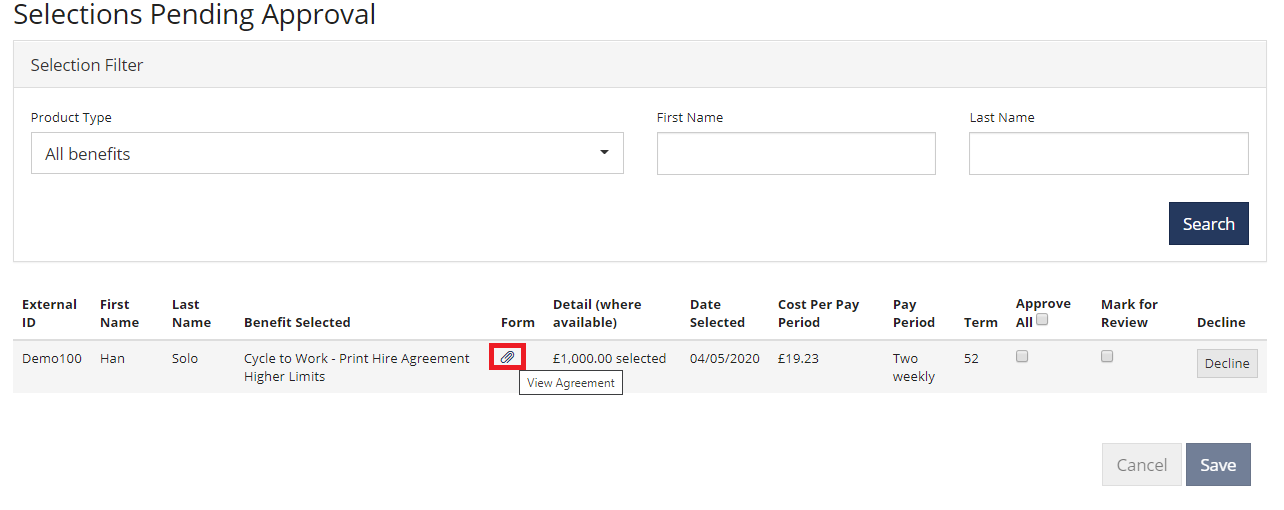
Once the benefit request is checked out; you'll receive your normal notification to login and approve...however, you'll now see a small paperclip icon that indicates there is a form attached.
Click the paperclip icon to view the form.
3) Auditing
Now... if you must, you could in theory print the agreement at this stage and put it into your filling cabinet. However, for those that want to reduce your reliance on physical storage; you can always view these agreements at a later date by going to the "Previously Approved & Declined" page within benefit selections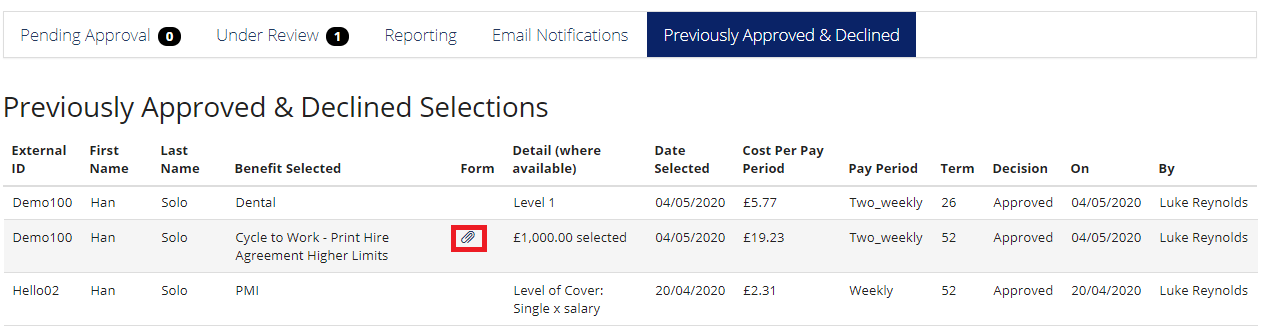
Overall we hope the change will benefit yourselves with the lower admin required, the employee for the reduction in time, and the environment!
Comments
0 comments
Please sign in to leave a comment.