Whilst YouatWork does not have an app, employees and administrators alike can add the YouatWork site to their smartphone's home screen, which will give the same ease of access as having a app!
The process is slightly different for Android VS iOS, so this guide will give you steps for both.
The first step is to visit your youatwork.com website; each customer has their own URL. These examples are from our demo site, coffeehouse.youatwork.com
Android, using Chrome:
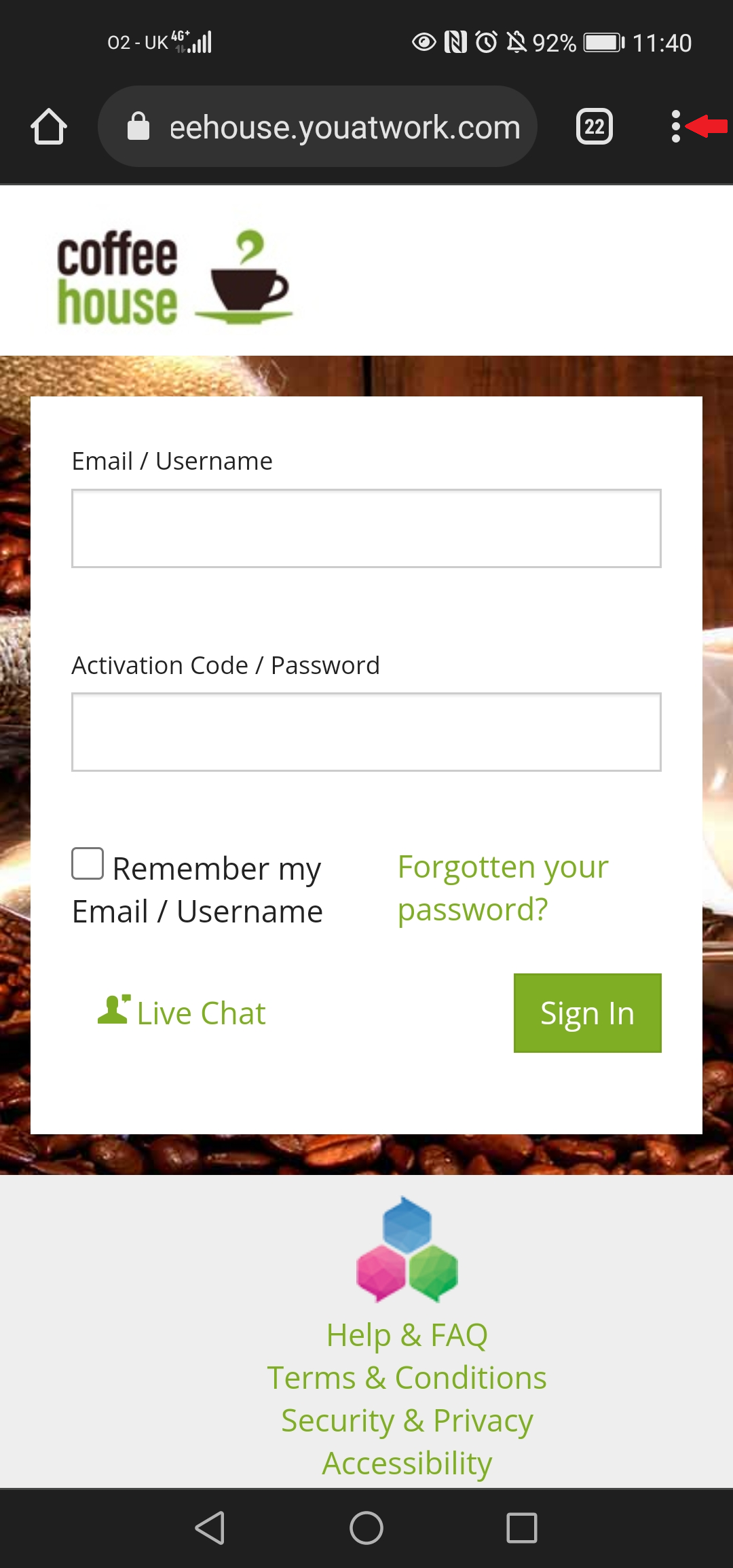
Once you're on the site, start by clicking the 3 dots on your browser as shown with the red arrow below
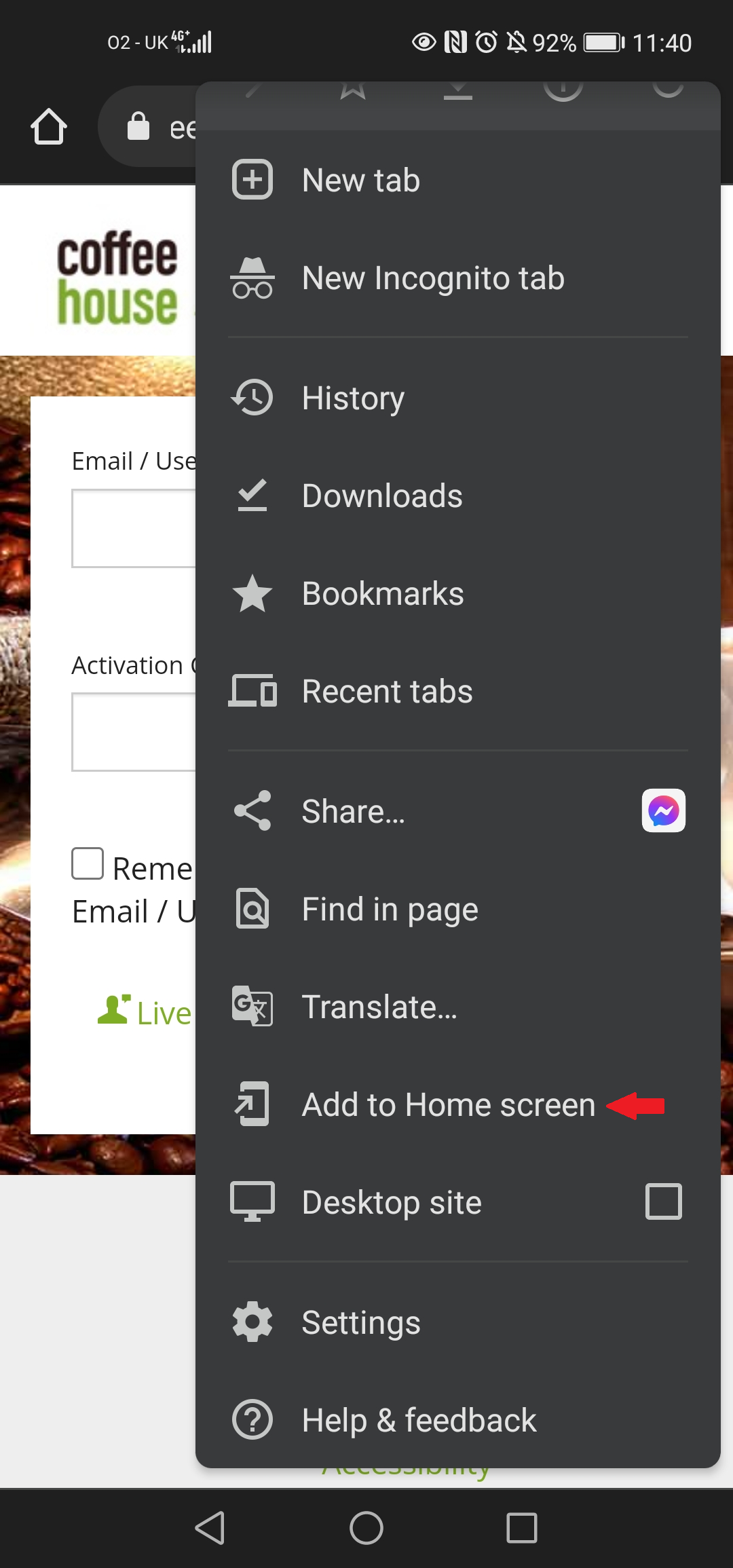
Then from the options available, click the "Add to Homepage" option, as shown with the red arrow below.
You will be asked to give a name to your link. You can keep the default, or change it to whatever you want.
It will then show on your homepage as shown in the screenshot below
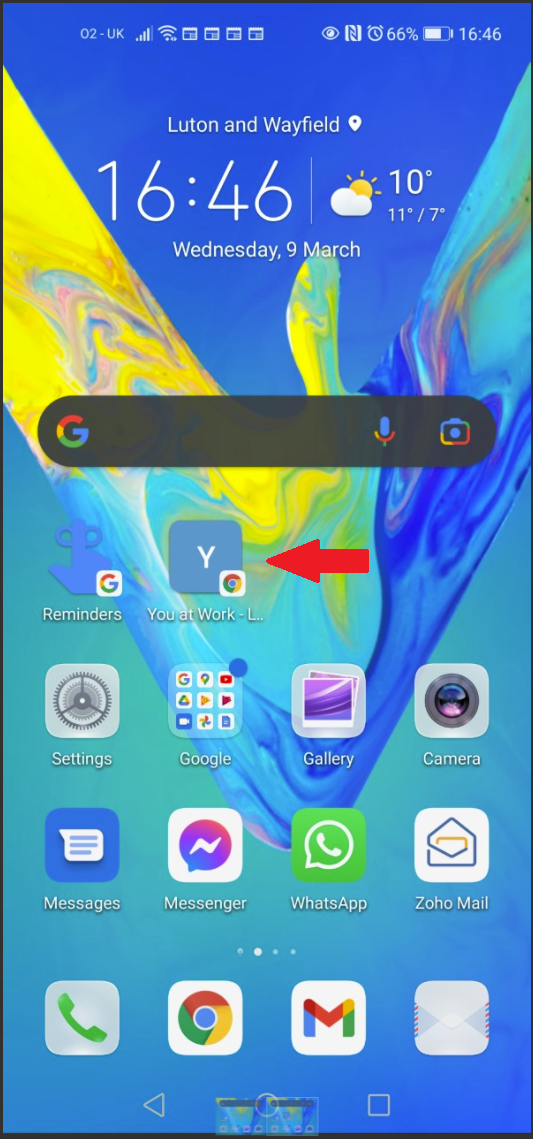
Hey presto! You're done!
Safari on iOS (Apple Devices):
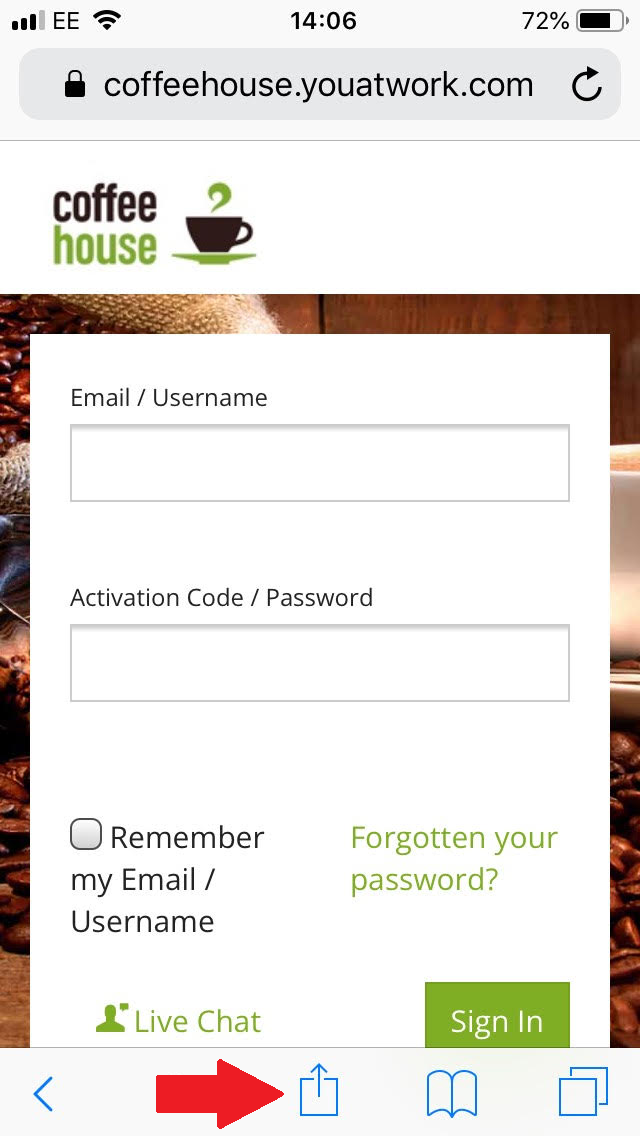
Open up the site on your phone, and click on the icon highlighted with the red arrow in the screenshot below.
This will open up a menu, where you should click "Add to Home Screen"
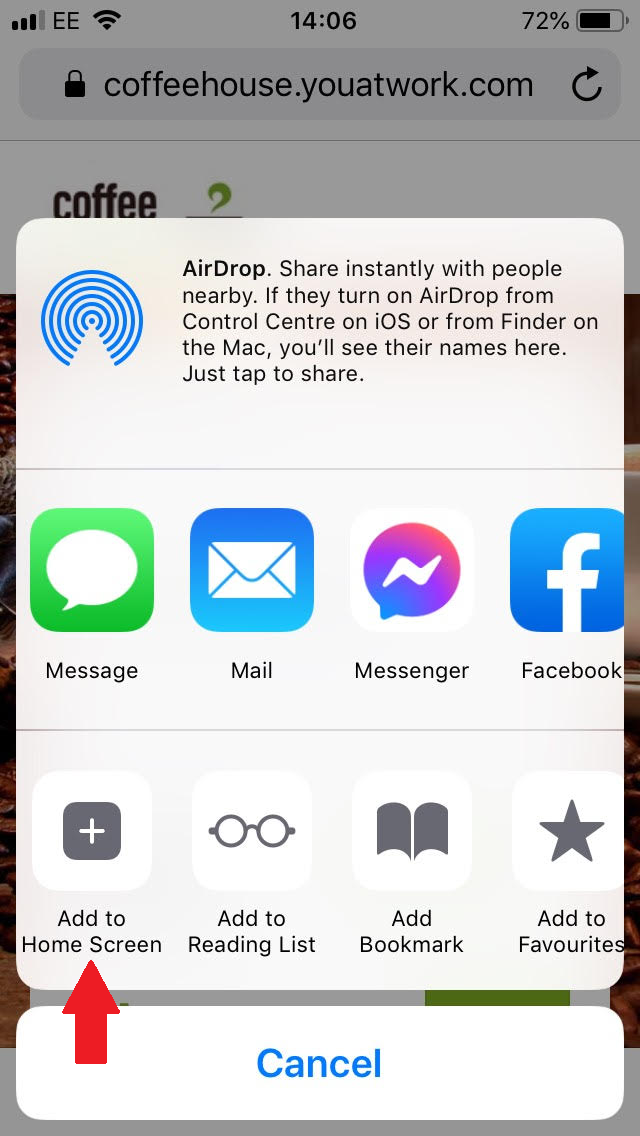
You will be asked to set a name for the link, then you can save.
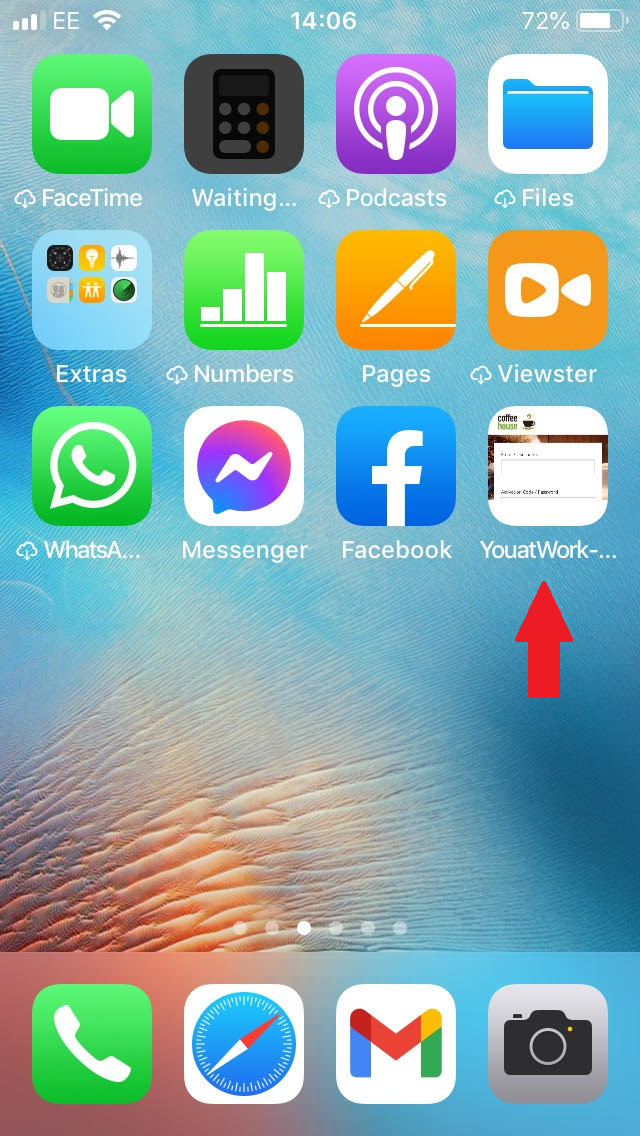
It will then appear on your home screen with a preview of the page.
Comments
0 comments
Article is closed for comments.