After you've launched a new product, benefit, or a selection window, you may wish to see how many people have opened and clicked certain emails you sent to raise awareness.
You will need the Campaign Manager admin role in order to do this.
To start, head into the "Comms" area of the admin suite. You'll be greeted with a list of all of the emails that have been sent from the system to your staff. Click on the graph icon on the email you wish to see the statistics for.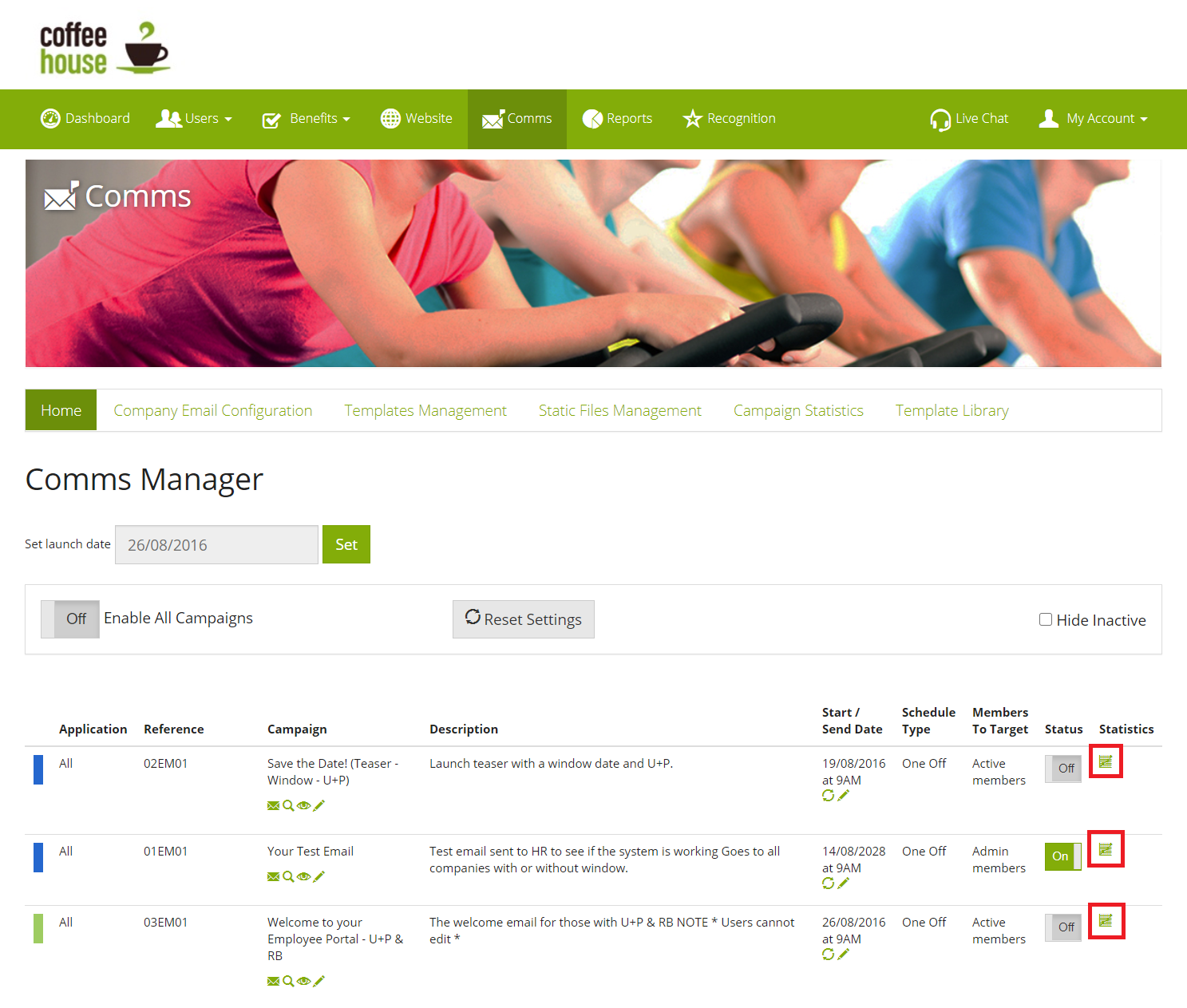
The stats page has a few key areas:
1) Search:
Enables you to search for an exact person, to see if they opened or clicked the emailed.
2) Stats & Graph:
The stats and graph give you a high-level understanding of how successful your email was at engaging the users. Good for comparing against other emails sent to the same segment of users.
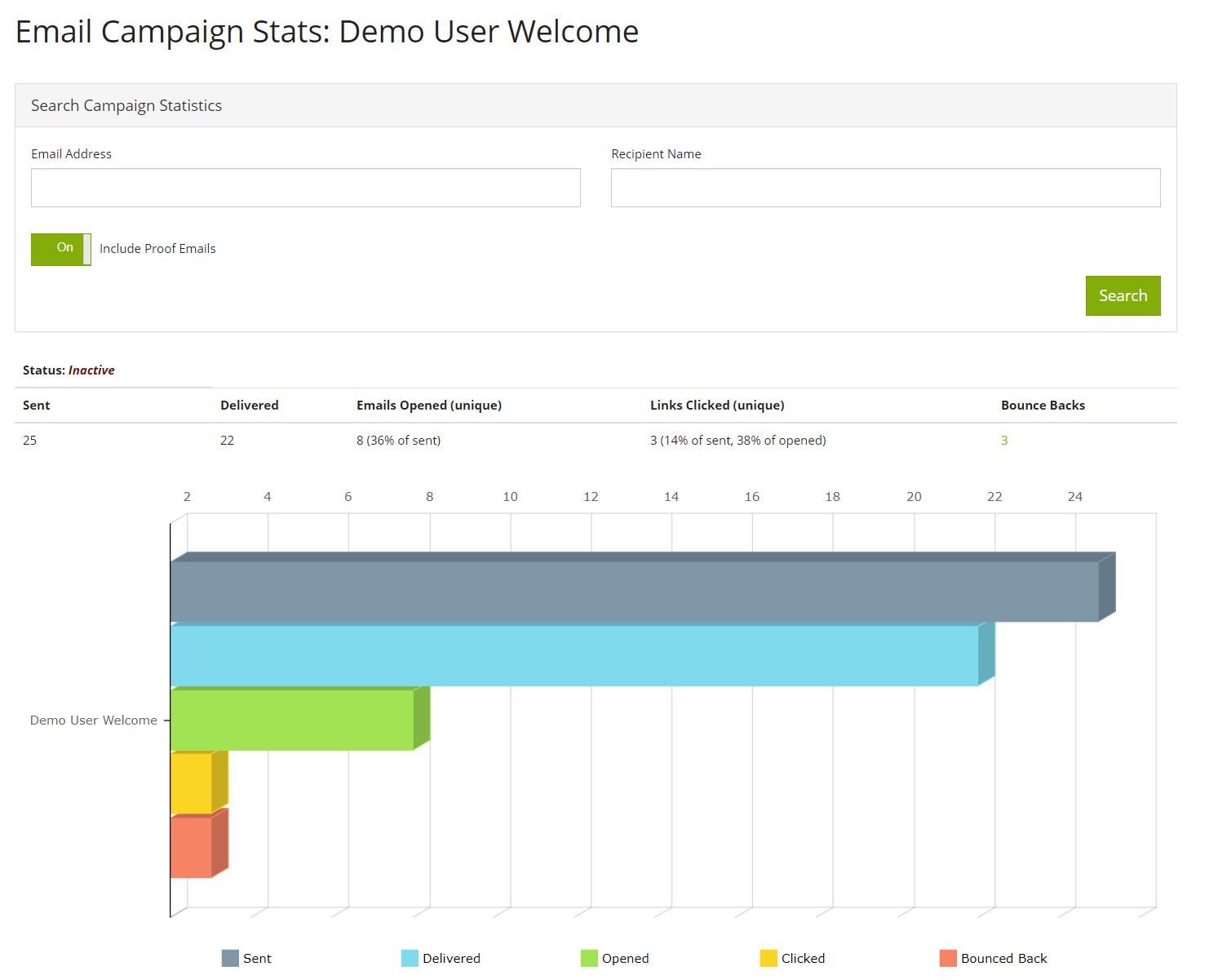 Sent - Highlights the number of emails created and dispatched from your mail sending provider
Delivered - Shows the number of emails that reached the receiver's server and subsequently had the message accepted.
Opened - Emails that were opened by the recipients (combined - a user can open the same email more than once).
Opened Unique - the distinct number of recipients who have opened your email at least once.
Clicked - shows the number of times a link in the email was clicked (combined - a user can click several links more than once).
Clicked Unique - the distinct number of recipients who have clicked a link in your email at least once.
Bounced - the receiving server denied the message and the address sent to is suppressed or incorrect altogether.
3) Recipient Activity Report:
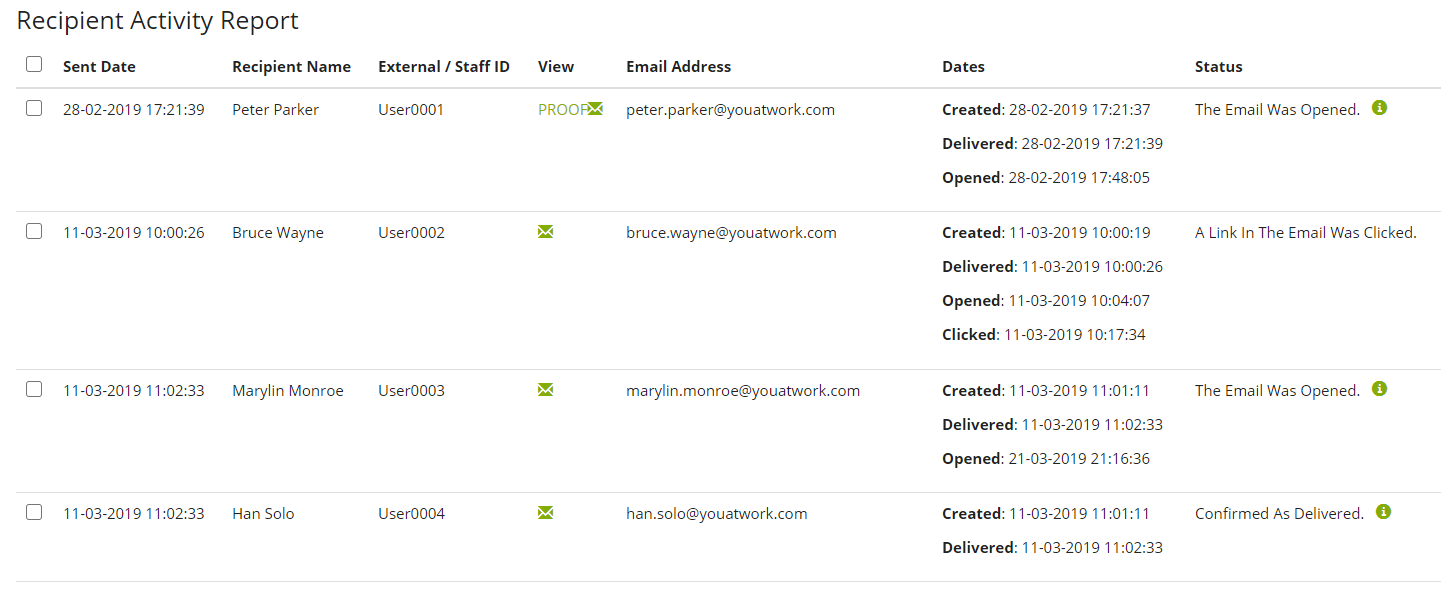
The final area provides you with a list of every single user whom the email has been sent to, ever. Note; if the same email is sent to all staff multiple times, perhaps every year a "Your benefit window has opened" email has been sent, the stats here will show every instance on the one page, and not show stats for individual times it was sent.
This area allows you to see who received the email, who opened or clicked the email. It will also show bounces if there were any.
Comments
0 comments
Article is closed for comments.