So, you've just completed an annual pay review and you now need to update all users salaries on the portal; thankfully it's a very quick process.
Starting from the admin suite, go to "Users" then "Import Users"
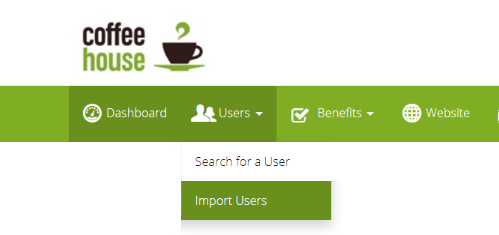
Once there download either complete our sample file by adding the users and their new salaries, or map your own formatted file with our data mapper. Then upload it! Users salaries will amend as soon as the file is approved, and finished processing.
Can I download the current data first, then reupload it amended?
Absolutely! Navigate to our "User Reports" section and choose the "Employee Data (Upload format) report. It will download your data in the perfect format to be reuploaded, except you need to change filetype from .xlx to .csv and of course amend your salaries.
Admin Suite > Users > User Reports > Employee Data (Upload Format)
Note: any benefit selections linked to a salary do not automatically change now the users' salaries have changed. To amend these manually, follow this guide
Comments
0 comments
Please sign in to leave a comment.