Sometimes you need to preview the page as if you were somebody else, whether that be for admin tasks, testing, or just supporting the user with something they're stuck on.
There's a very simple way to do this, that will enable you to see what they see, without having to manually log in as them and allow you to retain your overarching admin roles.
Requirements
- You will need our Impersonation role in order to do this
How to Impersonate
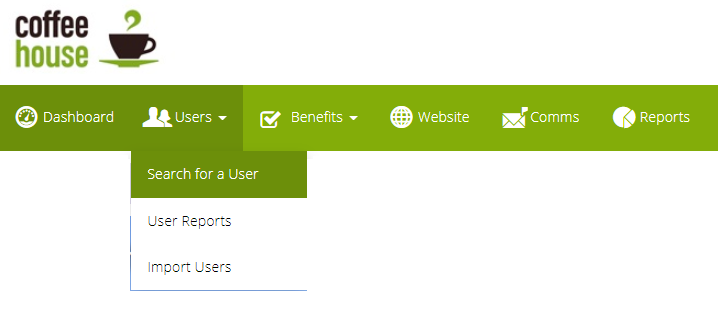
- From the Admin Suite, navigate to "Search for a user"
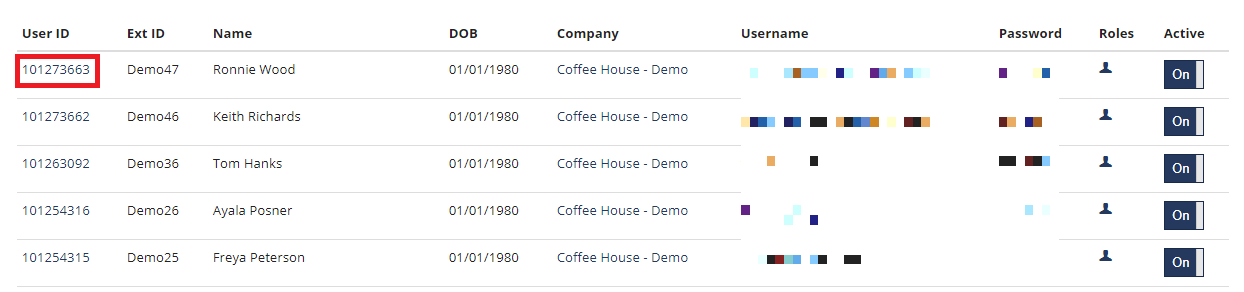
- From the list of users, click on the user ID of the user you wish to impersonate and you will be on the user's details page
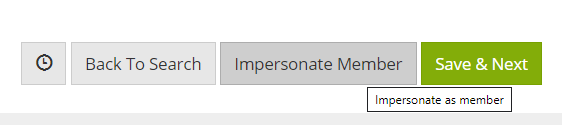
- At the bottom of the user's details page, you will see the option to Impersonate, click this button and a new tab will open
How to stop impersonating?
Once you are impersonating, you can see who you are impersonating by in the blue banner beneath the menu; this is also the same place where you can stop impersonating by simply clicking "Stop Impersonating". 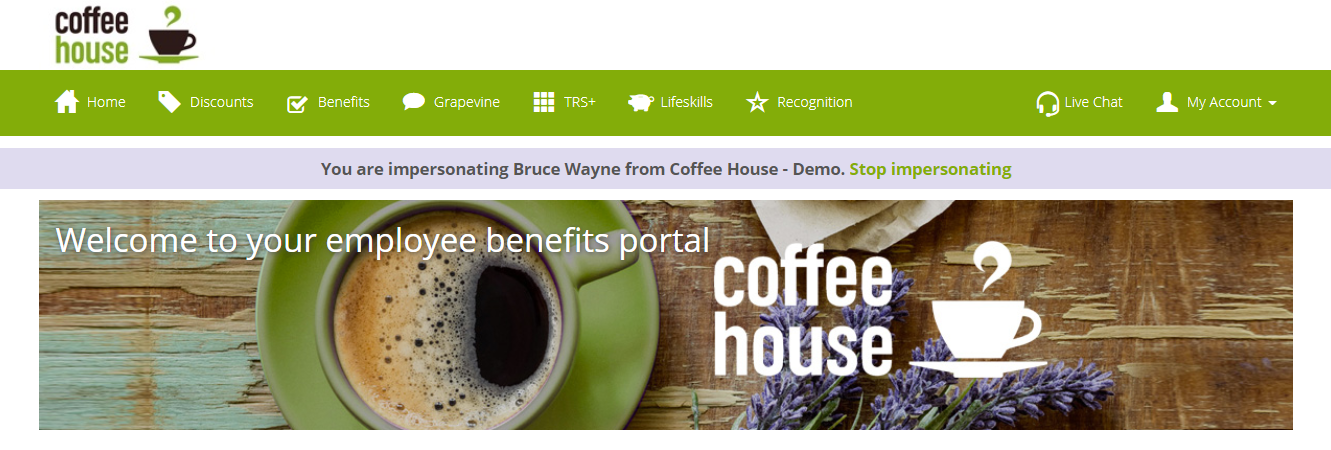
Comments
0 comments
Please sign in to leave a comment.