Unfortunately, it's a way of life that people come and go. So you'll need to know how to deactivate someone who has left.
Starting from the admin suite click into "Users" followed by "Search for a User" . This will load your list of users
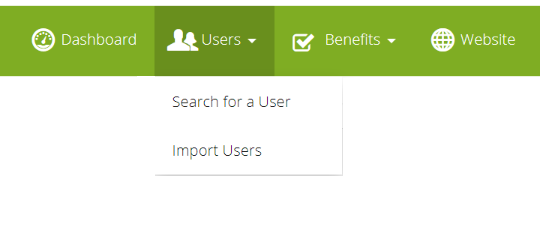
To deactivate the user immediately simply find the relevant user, and click the Active toggle to OFF. 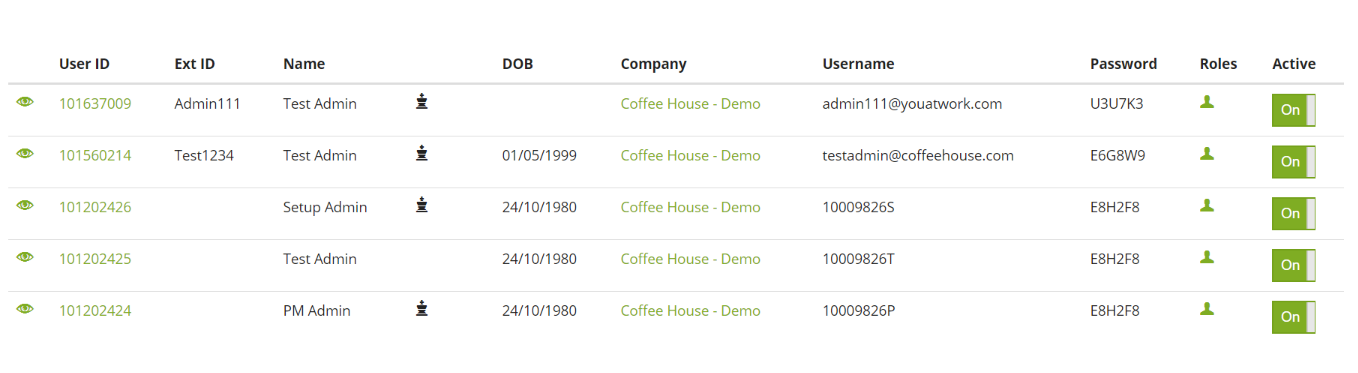
Alternatively, to set a future date to deactivate from - click on the users "userID" to enter into edit mode and set them an Employment Leave Date

The user will be made inactive after the date chosen. If you need to amend this, you can do so anytime before the date is reached.
Can I do this on Bulk?
Yes, absolutely! Go to "Import Users" and import your leavers with a leave date in the past, they'll be deactivated immediately.
If you give them a leave date in the future, on that date they'll be deactivated.
Comments
0 comments
Article is closed for comments.