Creating a window within a scheme year couldn't be more simple. Whether you're creating a window for new joiners or just a general all staff mid-year window, it's only three simple steps once you're into our admin suite!
This is our quick guide to setting up your additional window(s). You will find a more detailed explanation of each step in this article
Where do I find this option ?
Within Admin suite, navigate to Benefits > Benefit Manager > Benefit Windows
Find your current scheme, and to start simply click "Add Window"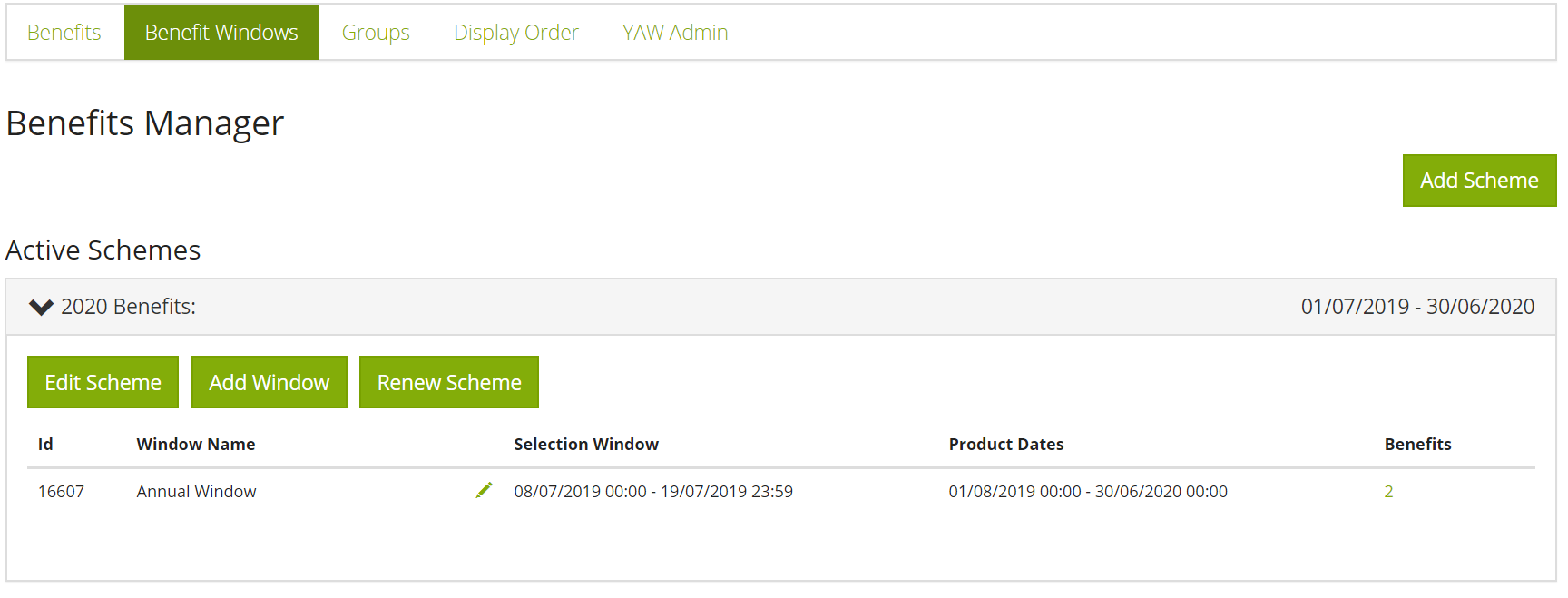
Let's begin:
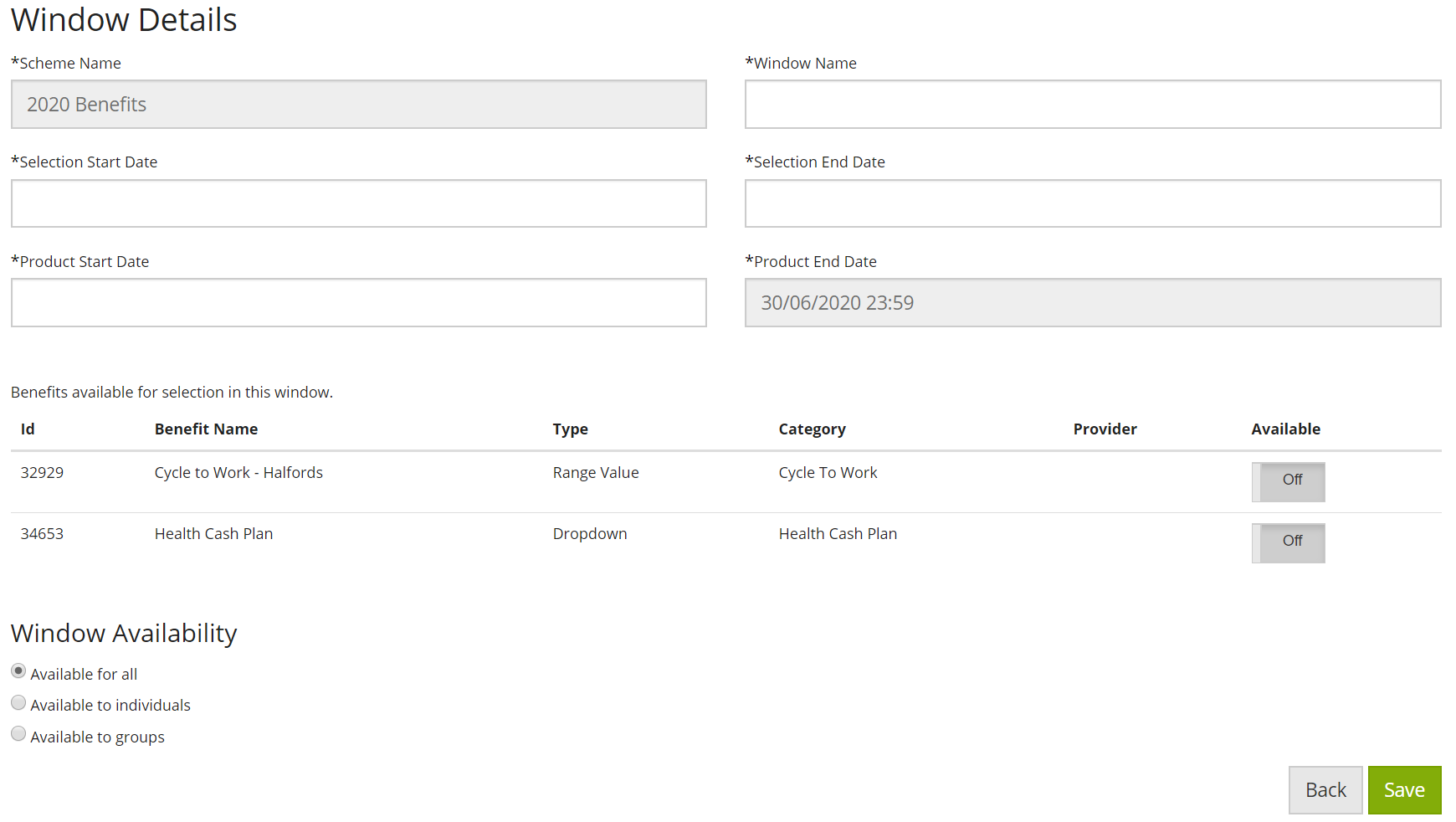
The window creation page will open, and is split into three areas. Fill in the details of each, and your window is ready.
- Name the window and set its' dates
- Choose which benefits from the annual scheme to be included
- Choose who can see the window
You will find a more detailed explanation of each step in this article
Is there anything I need to watch out for?
- Communications: no communications will be sent by the You at Work system for any window you create yourself; contact your engagement manager if you would like to discuss the option for us to do so
- Allocations to benefits: employees who have access to windows must also meet the original criteria set for each benefit, in order to see each benefit. For instance, if you have two benefits in the new window, one benefit for all staff and one for a senior management group, if the person logging to view the window is not in the senior management group they only see the one benefit available to all staff
- Post-window payroll reporting: you are obliged to log in and approve selections during or after the window, and run your own reports for payroll
- Post-window provider reporting: you are obliged to log in and run your own provider reports for benefits that are not introduced and managed by You at Work. You at Work have automated reporting on any benefit that we have introduced to you, therefore once you have approved selections made by employees, selections data will be with our providers within 7 days
Comments
0 comments
Please sign in to leave a comment.