If you've only got a handful of users to create, you may want to avoid a data import and instead do it manually. This article will show you how.
Summary
Read the rest of the article for detailed steps
- Go to the "Search for a User" Page
- Click "Add User"
- Enter the user's personal details
- If using the "Benefits" module, remember to enter the user's Employment terms
- Assign the relevant admin roles, if applicable
User Management
The first step is to go into the user management area where you view all of your users
Admin Suite > Users > Search for a User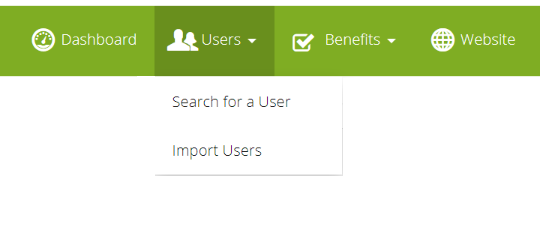
From there, you'll see a button labeled "Add a user"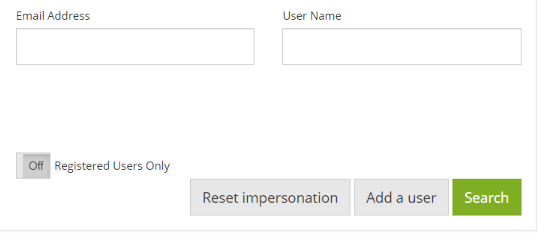
Within the add user page, simply complete the user's personal details. Assign them to any groups they need to be part of and save the page.
Once you have successfully created the user you can now either edit their admin roles or set up their employment terms (Salary, payment Frequency, Holiday Trading Allowances)

Depending on how you have your email communications setup on the YAW portal, your newly created person should receive a welcome email inviting them to register the next working day.
Assign Admin Roles:
If the person you are creating should be an admin,. follow our guide on how to assign admin roles:
Comments
0 comments
Article is closed for comments.